
1. On the "Purchasing Order" (PO) page, tap the search icon at the top right and enter the document number or a keyword. 2. You can also tap the filter icon (slider icon) at the top right to set filter conditions. 3. Once you find it, tap the PO card to open the detail page and view the items, amount, and conditions. 4. To perform other actions on that PO, tap "⋯" on the right side of the card to open the action menu. 5. To switch to another function module, tap the hamburger menu at the top left.
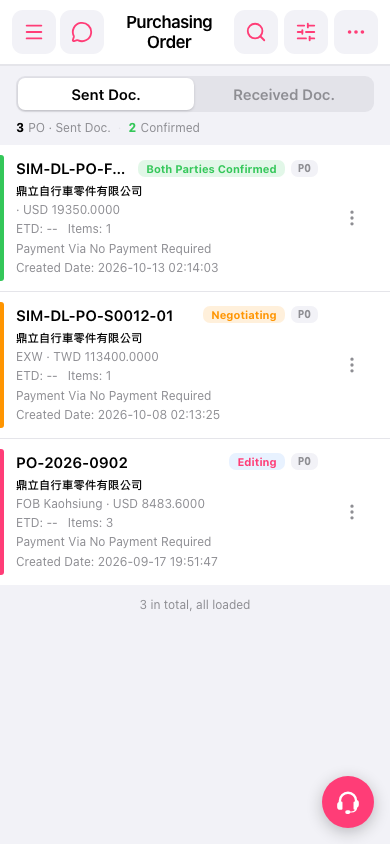 手機版|Purchasing Order(採購單)