
1. Go to the "Quotations" page in the mobile version. 2. Use the tabs below the title: "Sent Doc." shows the quotations you have sent, and "Received Doc." shows the quotations you have received. 3. The list shows the quotation number, status (Negotiating / Editing), customer name, trading terms (such as DAF Hamburg, FOB Kaohsiung), currency, Validity (expiration date), and Created Date. 4. To see the details of a specific quotation, tap its row directly.
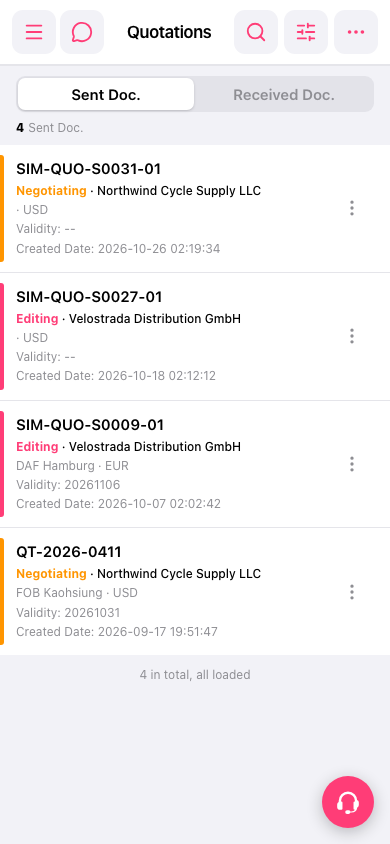 手機版|Quotations(報價單)