
1. On the quotations page, tap the "search icon" at the top right and enter the quotation number or customer name. 2. Or tap the "filter (slider) icon" at the top right and set conditions to narrow down the list. 3. Check the color bar on the left of each row and the status text to judge progress: orange "Negotiating" means under negotiation, and pink "Editing" means being edited. 4. To perform other actions on a quotation, tap the "⋮" on the right side of that row and choose the corresponding function from the menu. 5. If you need help, tap the customer service (headset) icon at the bottom right.
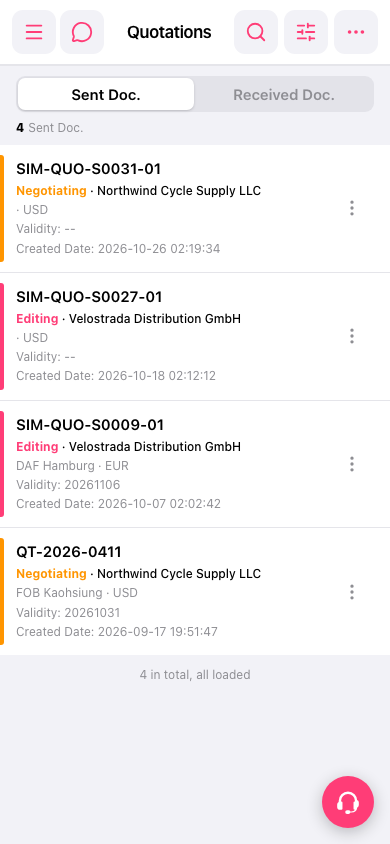 手機版|Quotations(報價單)