
1. Open the AI conversation page (General conversation) on the mobile version. 2. Tap the "Ask AI a question..." input box at the bottom and type your question. 3. To attach a file, tap the paperclip icon at the bottom left. To take a photo or upload an image, tap the camera icon next to it. 4. Tap the paper-plane button at the bottom right to send. 5. Wait for the AI's reply to see the result.
You can ask: "Which PO is our most recent one?" The AI will reply: It lists the most recent PO in an active status, including the number SIM-DL-PO-F0040-1013, the supplier 宏泰鏈條工業有限公司, the creation date 2026-10-12, and the status Confirmed. It also explains that there are currently 3 active POs, and asks whether you would like the line item details listed as well.
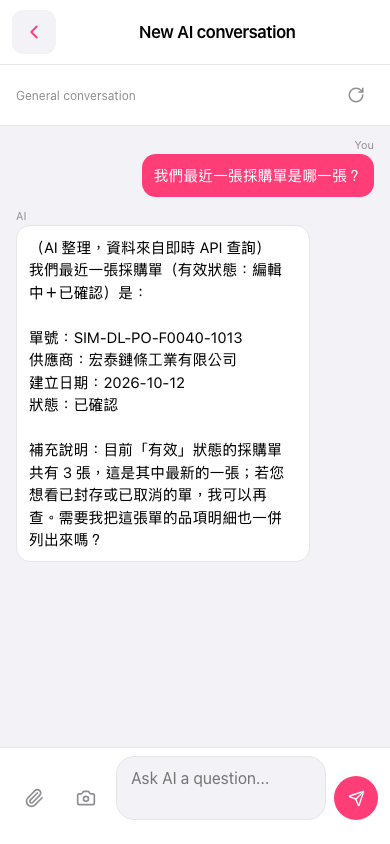 手機版|New AI conversation