
1. To see more information, just ask a follow-up in the "Ask AI a question..." input box at the bottom, for example "Please list the line item details for this PO", then tap the paper-plane button at the bottom right to send. 2. To reload this conversation, tap the refresh icon at the top right (on the same row as General conversation). 3. To leave the conversation page, tap the back arrow "<" at the top left.
Note: The AI's reply includes the number, supplier, creation date, and status. If you want to see archived or cancelled POs, you can also ask the AI to look them up.
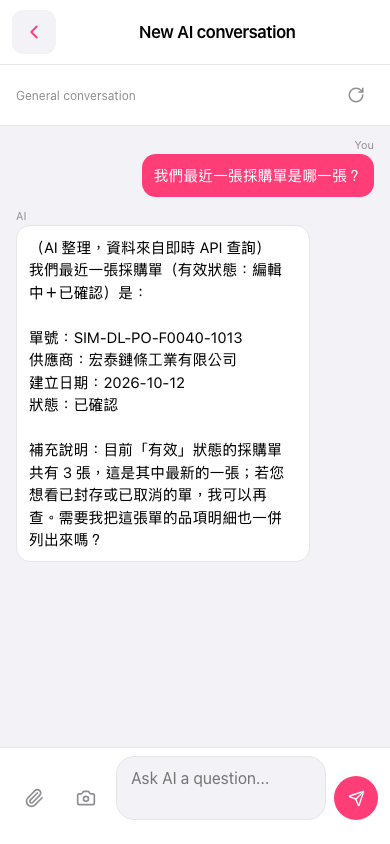 手機版|New AI conversation