
1. On the mobile version, go to the AI conversation page (page title "New AI conversation"). 2. In the "Ask AI a question..." input box at the bottom, type "匯入供應商"; or tap the paperclip icon at the bottom left to upload a supplier file and send it. 3. Read the import summary in the AI's reply and check that the counts (new / existing reused / skipped) and the field mapping are correct. 4. Once everything looks right, within the time limit given by the AI, type "新增" in the input box and tap send (the paper plane) at the bottom right. The AI will then run the import.
You can ask: "匯入供應商" (with a 12-row csv attached). The AI will reply: "匯入供應商 AI 共 12 筆:新建 12、沿用既有 0、跳過 0。" and prompt you to type "新增" to confirm.
The field mapping is: 公司名稱 → Name, Email → Email, 統編 → Tax ID, 電話 → Phone.
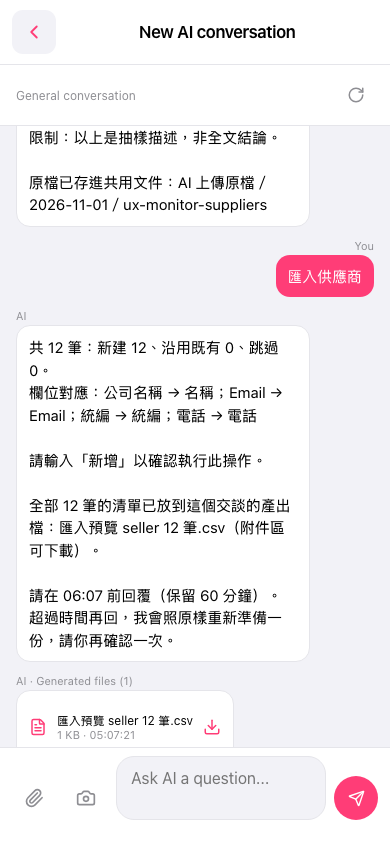 手機版|New AI conversation