
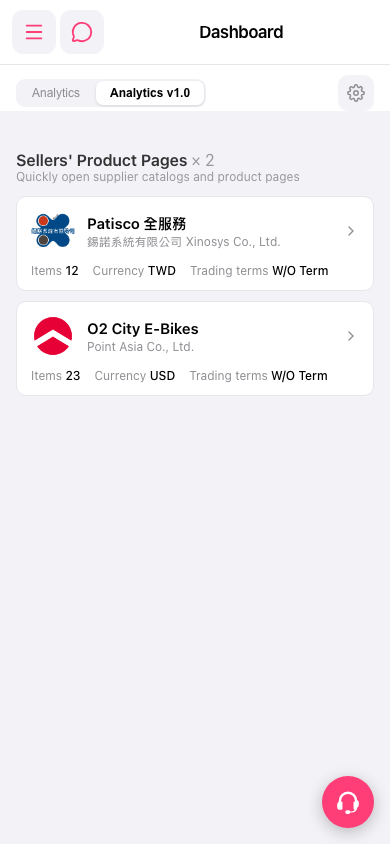
1. After logging in, go to the mobile Dashboard page (mobile.patisco.com/main/dashBoard). 2. To switch the analytics version, tap the "Analytics" or "Analytics v1.0" tab below the page header. The currently selected one is Analytics v1.0. 3. In the Sellers' Product Pages section, find the seller card you want to view, such as "Patisco 全服務" (錫諾系統有限公司 Xinosys Co., Ltd.) or "O2 City E-Bikes" (Point Asia Co., Ltd.). On the card you can check Items (number of items), Currency, and Trading terms. 4. Tap the card (or the arrow on its right) to open that seller's product catalog and product pages.
 手機版|Dashboard