
Change your phone number (the same applies to other fields): 1. In the BASIC INFO section of the My Profile page, find "Phone Number" (Name, Job Title, and Timezone are also here). 2. Tap the arrow (>) on the right side of that row to open the edit screen. 3. Enter or select the new value. 4. Save and return to the profile page, then confirm that the row shows the updated value.
Change your avatar: Tap the pencil icon at the bottom right of the avatar.
Switch to dark mode: At the very bottom of the PREFERENCES section, simply tap the "Dark Mode" switch.
Note: Login Email and Password are in the ACCOUNT section. Language and Number Format are in the PREFERENCES section.
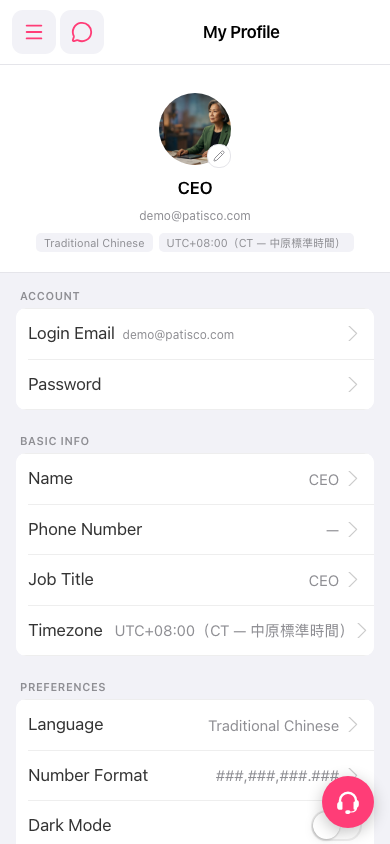 手機版|My Profile