
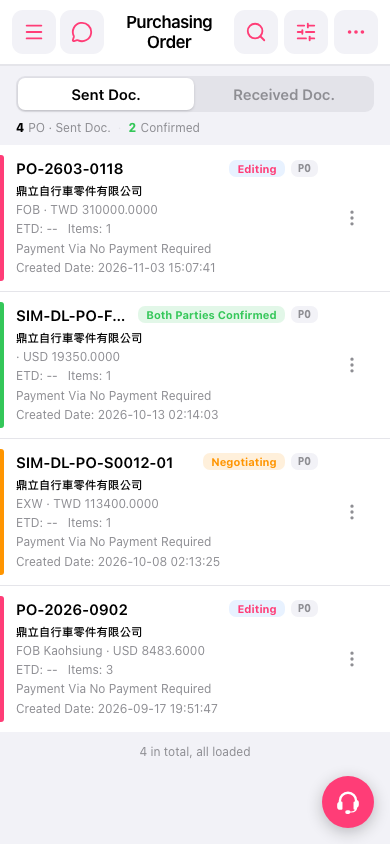
1. Open Patisco on mobile and go to the "Purchasing Order" page (https://mobile.patisco.com/main/po). 2. The "Sent Doc." tab is shown by default, which lists the POs you have sent. 3. To see POs that others sent to you, tap "Received Doc." on the right side of the tab bar at the top. 4. To go back to the ones you sent, tap "Sent Doc." on the left. 5. If you see "4 in total, all loaded" at the very bottom of the list, all data has been loaded.
 手機版|Purchasing Order