
1. To go to another function page: Tap the hamburger menu icon in the upper left to expand the side navigation menu, then choose the page you want. 2. To adjust the dashboard display: Tap the gear icon (settings) on the right side of the tab bar. 3. To view messages or chat: Tap the chat icon in the upper left, to the right of the hamburger menu. 4. When you need help: Tap the floating customer support icon in the lower right to contact support or get assistance.
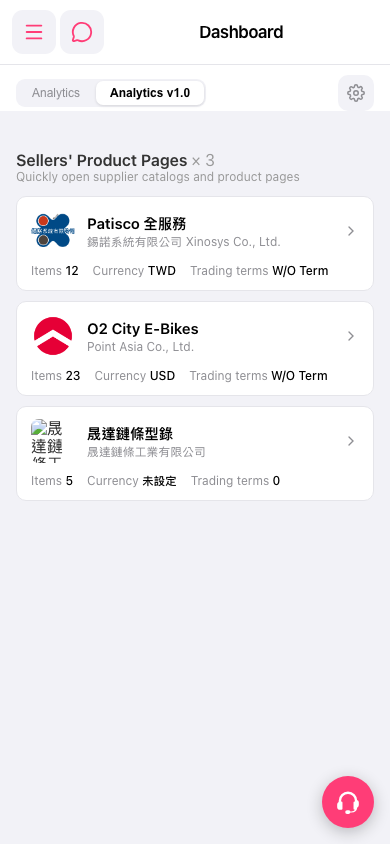 手機版|Dashboard(儀表板)