
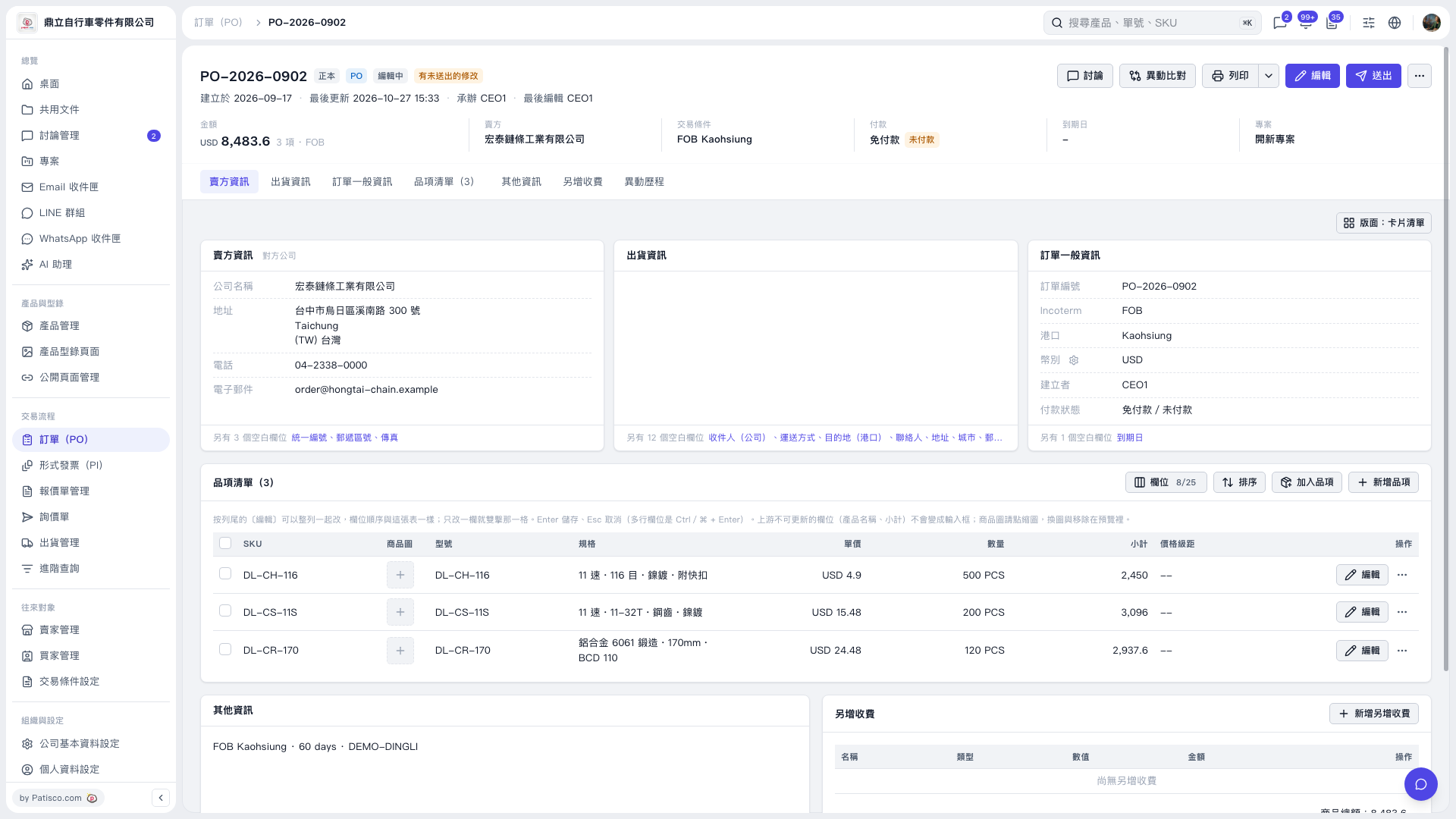
1. On the PO details page, check the PO number, seller, total amount, trading conditions, and payment status. 2. Click “Edit” in the upper-right corner to edit the PO information. You can view the corresponding details under “Seller Information,” “Shipping Information,” and “General PO Information.” 3. Click “Item List (3),” then click “Add Items” to add existing products, or “Create Item” to create a new product. To edit an existing item, click “Edit” on the right side of its row. 4. Double-click an editable field in the list to modify it. Press Enter to save or Esc to cancel. For multiline fields, press Ctrl/⌘ + Enter to save.
 V5 新桌面版|PO–2026–0902