
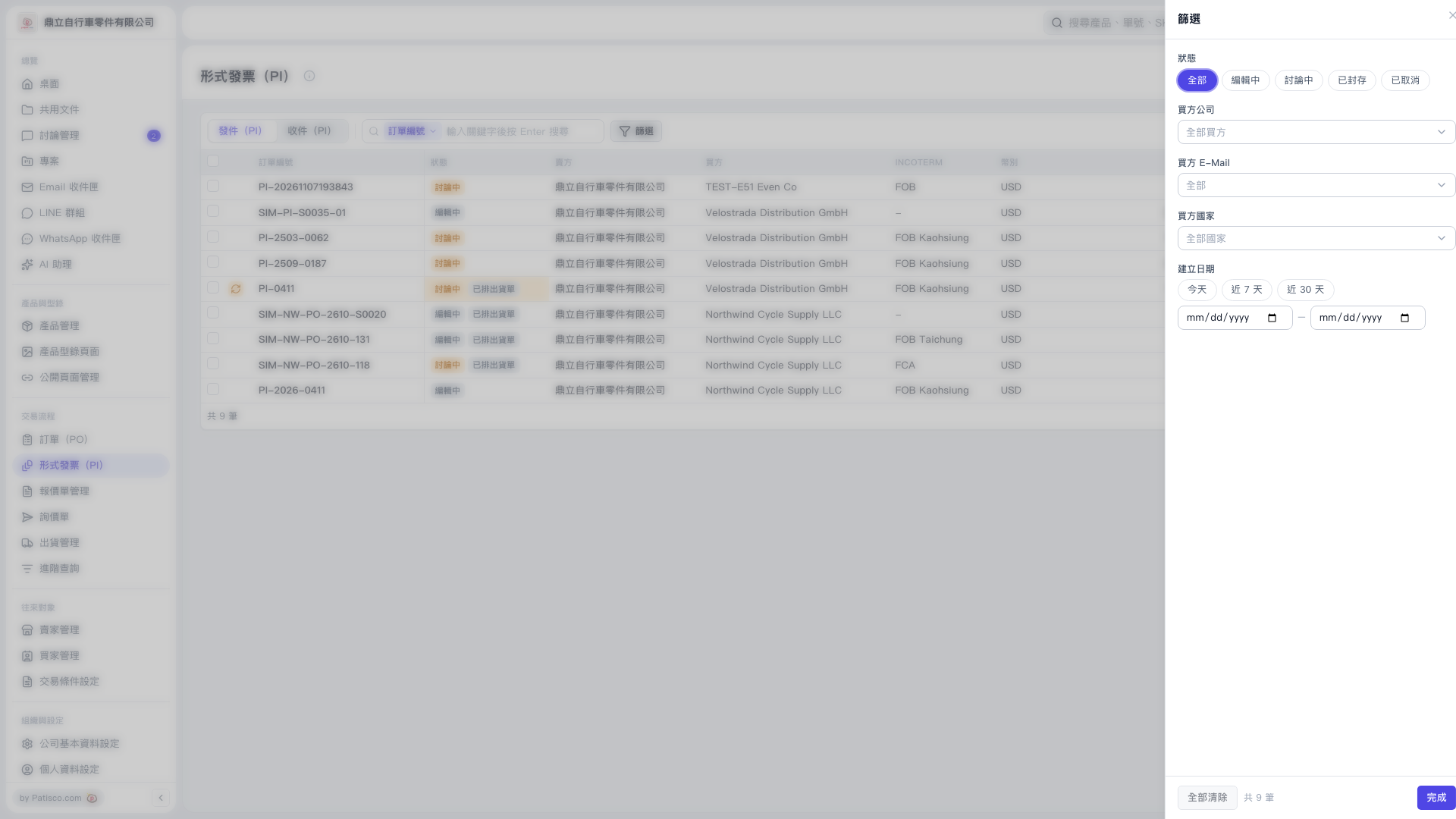
1. On the "Proforma Invoice (PI)" page, first switch between "Sent (PI)" or "Received (PI)". 2. Click "Filter" above the list to open the panel on the right. 3. Select "All", "Editing", "Under Discussion", "Archived", or "Cancelled", and set "Buyer Company", "Buyer E-Mail", "Buyer Country" as needed. 4. Under "Creation Date", select "Today", "Last 7 Days", or "Last 30 Days", or enter custom start and end dates. 5. Click "Done" to view Proforma Invoices matching your criteria. To reset conditions, open "Filter" again and click "Clear All".
 V5 新桌面版|形式發票(PI)