
1. Open the purchase order and verify the order number and current status at the top of the page. 2. In the "Item List", find the item you want to modify and click "Edit" on the right side of that row. 3. Modify the "Unit Price" or "Quantity"; for single-cell edits, press Enter to save or Esc to cancel. 4. Verify the "Subtotal" and "Order Total" for the item, confirm all data is complete, then click "Confirm" in the top right corner.
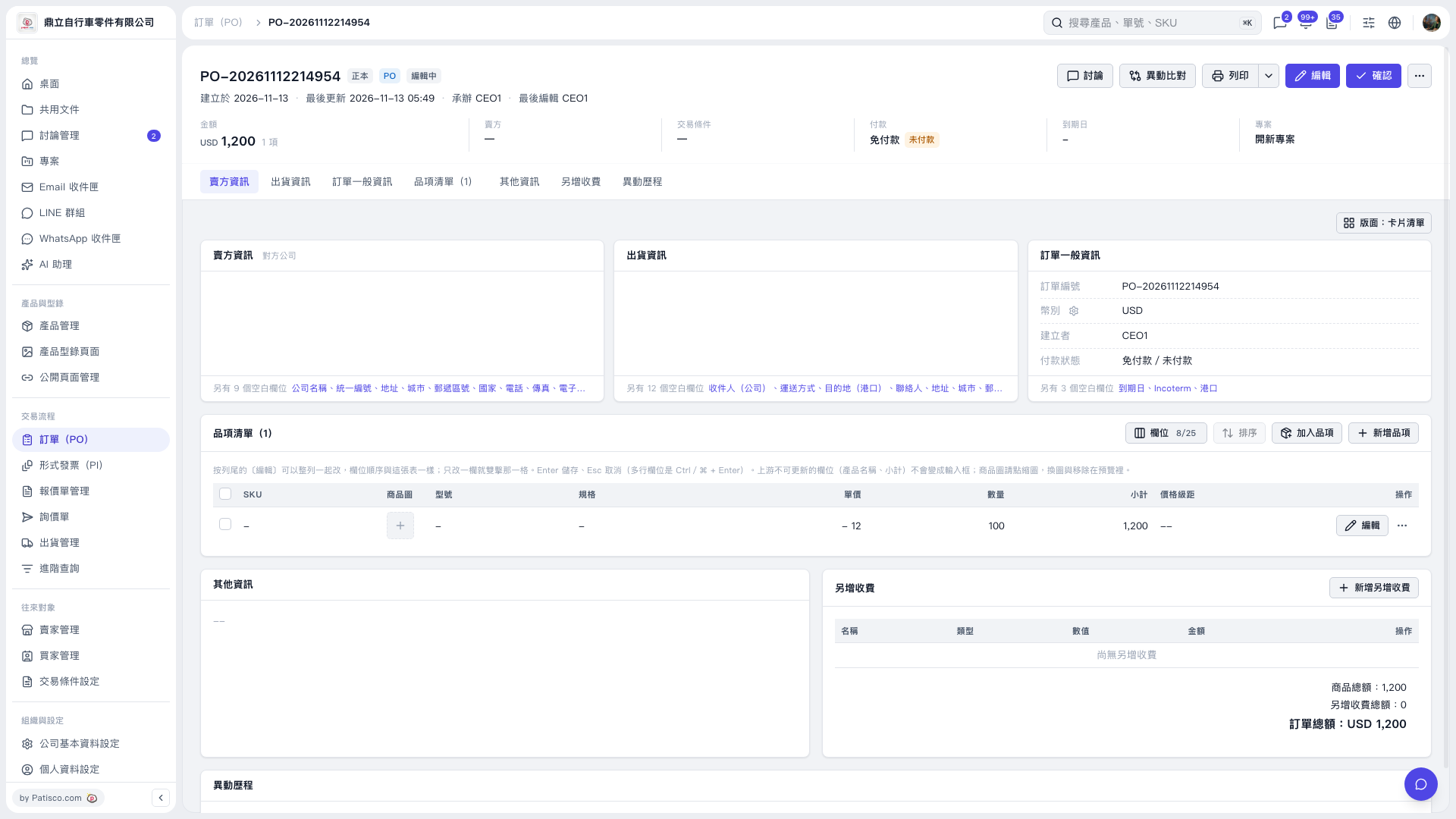 V5 新桌面版|PO-20261112214954