
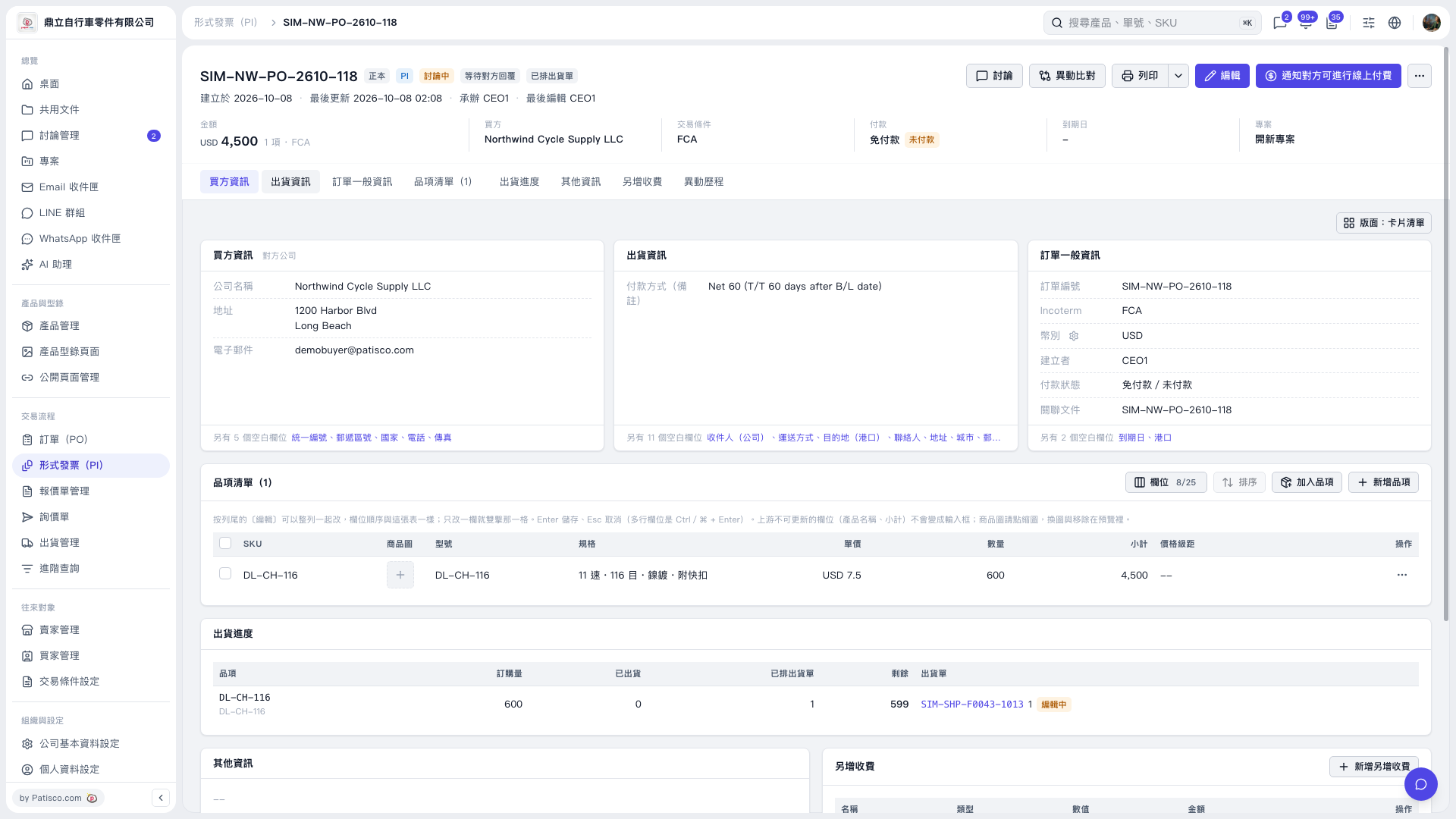
1. On the PO copy page, find "PI issued: SIM-NW-PO-2610-118" and click on the PI number. 2. After entering the Proforma Invoice page, confirm that the document number at the top is "SIM–NW–PO–2610–118", and verify the buyer, amount, and trading conditions. 3. If you need to modify the Proforma Invoice content, click "Edit" in the top right corner.
 V5 新桌面版|SIM–NW–PO–2610–118