
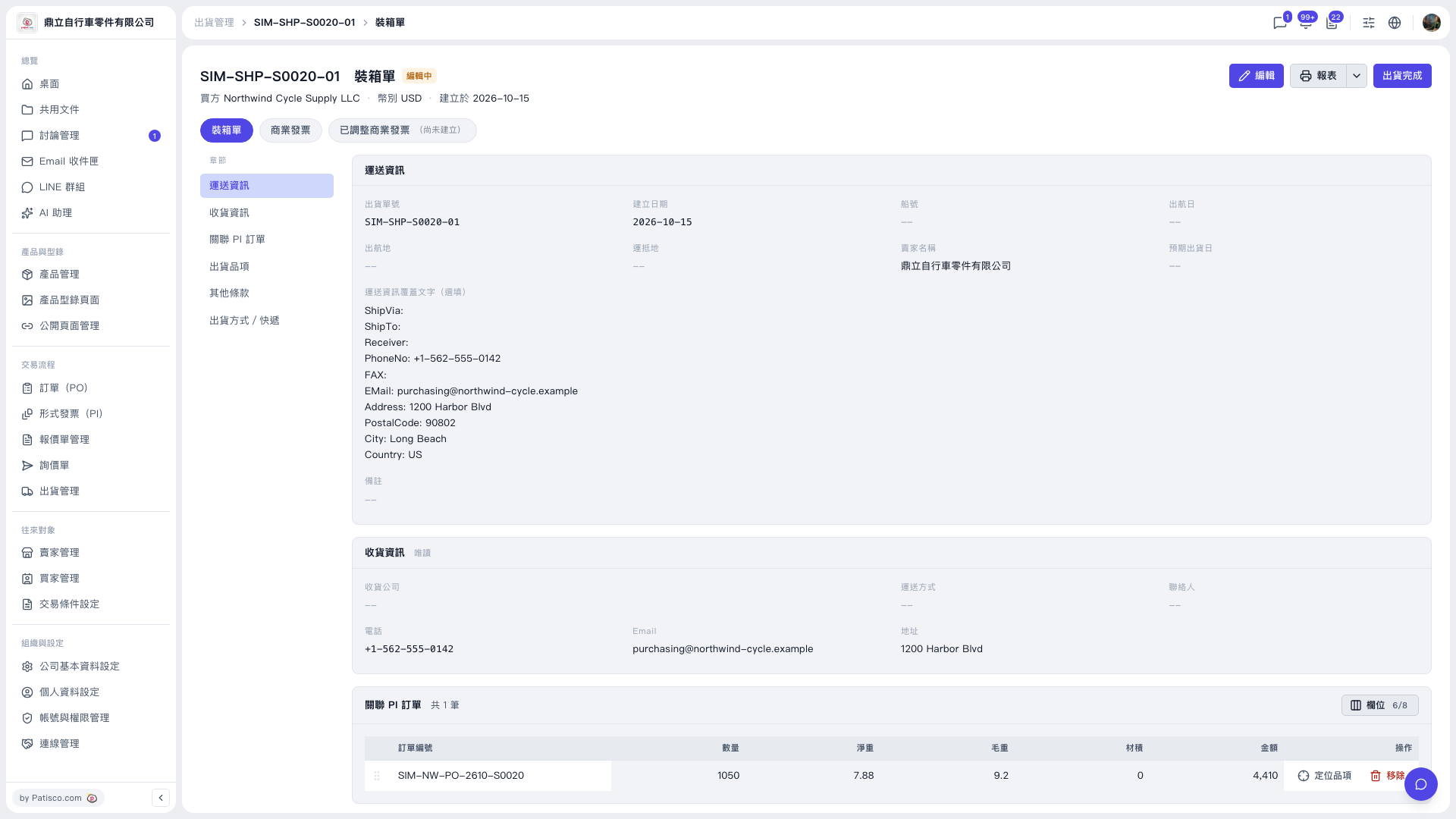
1. Open the shipment page (for example, the SIM-SHP-S0020-01 packing list) and first check the shipment number and the "Editing" status at the top of the page. 2. Click "Edit" at the top right. 3. Under "Shipping information", fill in any blank fields such as vessel name, sailing date, port of departure, port of arrival, and expected shipment date. 4. If needed, you can also fill in "Shipping information override text (optional)" and "Remarks". 5. To jump quickly to a section, use the "Sections" navigation on the middle left and click "Shipping information", "Consignee information", "Related PI orders", "Shipment items", "Other terms", or "Shipping method / Courier".
You can ask the AI assistant: "Do all items in SIM-SHP-S0020-01 have carton numbers?" The AI replies: "SIM-SHP-S0020-01: all 2 items have carton numbers."
 V5 新桌面版|SIM-SHP-S0020-01 裝箱單