
No. In Step 3, "Value mapping", there is an option "Fill other price categories automatically by formula", which is checked by default.
1. In Step 3 of bulk product creation, find "Fill other price categories automatically by formula" and make sure it is checked. 2. In the file, you only need to fill in the price of the base price category. The system will fill in the other categories automatically according to the formulas. 3. Click "Next" to go to "Review and fix", check the filled-in prices, and then import.
Example with the demo account (demo@patisco.com, Ding Li Bicycle Parts Co., Ltd.): the base "Test Price" can be used to calculate "Second Test Price". The formula is base −15%, rounded to an integer, MOQ same as base.
You can ask the AI assistant: "How is Second Test Price calculated?" The AI will answer: Second Test Price = base price −15%, rounded to an integer, MOQ same as base; in "Value mapping", "Fill other price categories automatically by formula" is checked by default, so Second Test Price is filled in automatically.
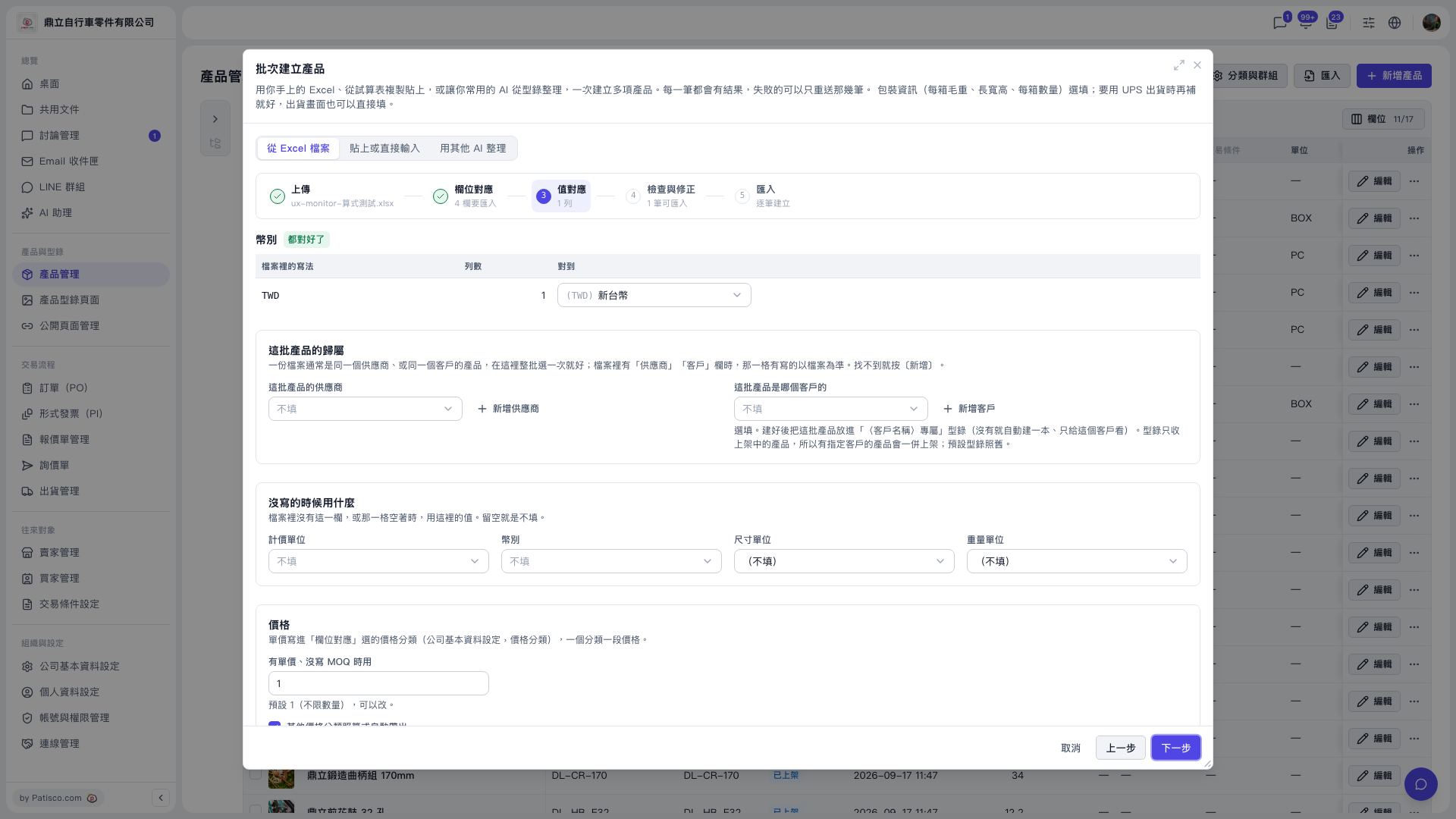 V5 新桌面版|批次建立產品(產品管理頁面上的對話框)