
1. Click “PO” in the left sidebar and open the PO you want to work on from the list (for example, PO-2026-0902) to go to the PO detail page. 2. First check the summary at the top (seller, amount, trading conditions, payment, due date). You can also use the section navigation on the left (Seller information, Shipping information, General PO information…) to jump to each section and check its content. 3. To edit the PO, click “Edit” in the title bar at the top right to enter edit mode. 4. When you are done, click “Submit” at the top right. The PO (including any unsent changes) is sent to the seller.
Tip: Before submitting, if you want to check what was changed, you can first click “Compare changes” to compare the changes between PO versions.
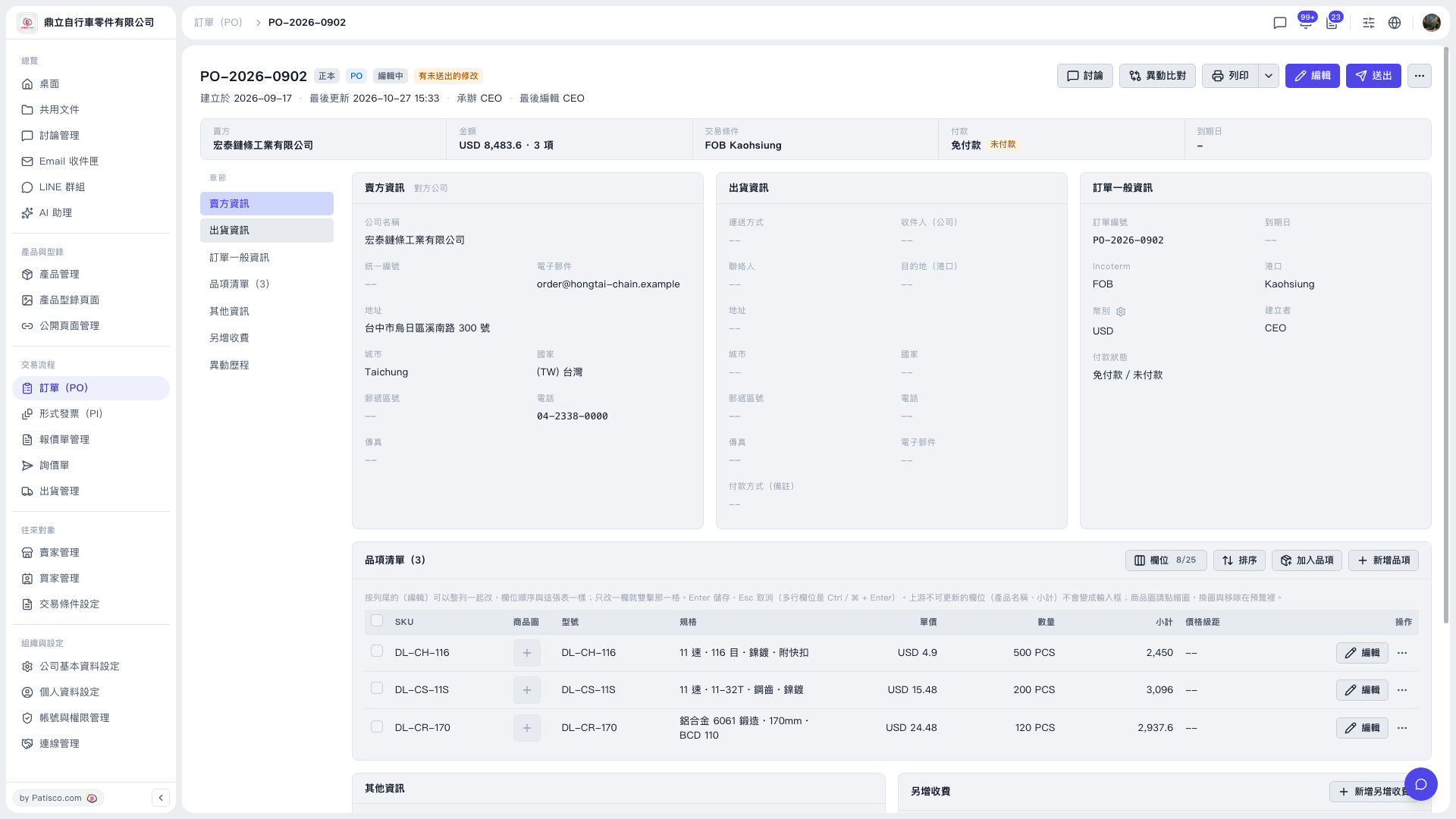 V5 新桌面版|PO-2026-0902(訂單詳情)