
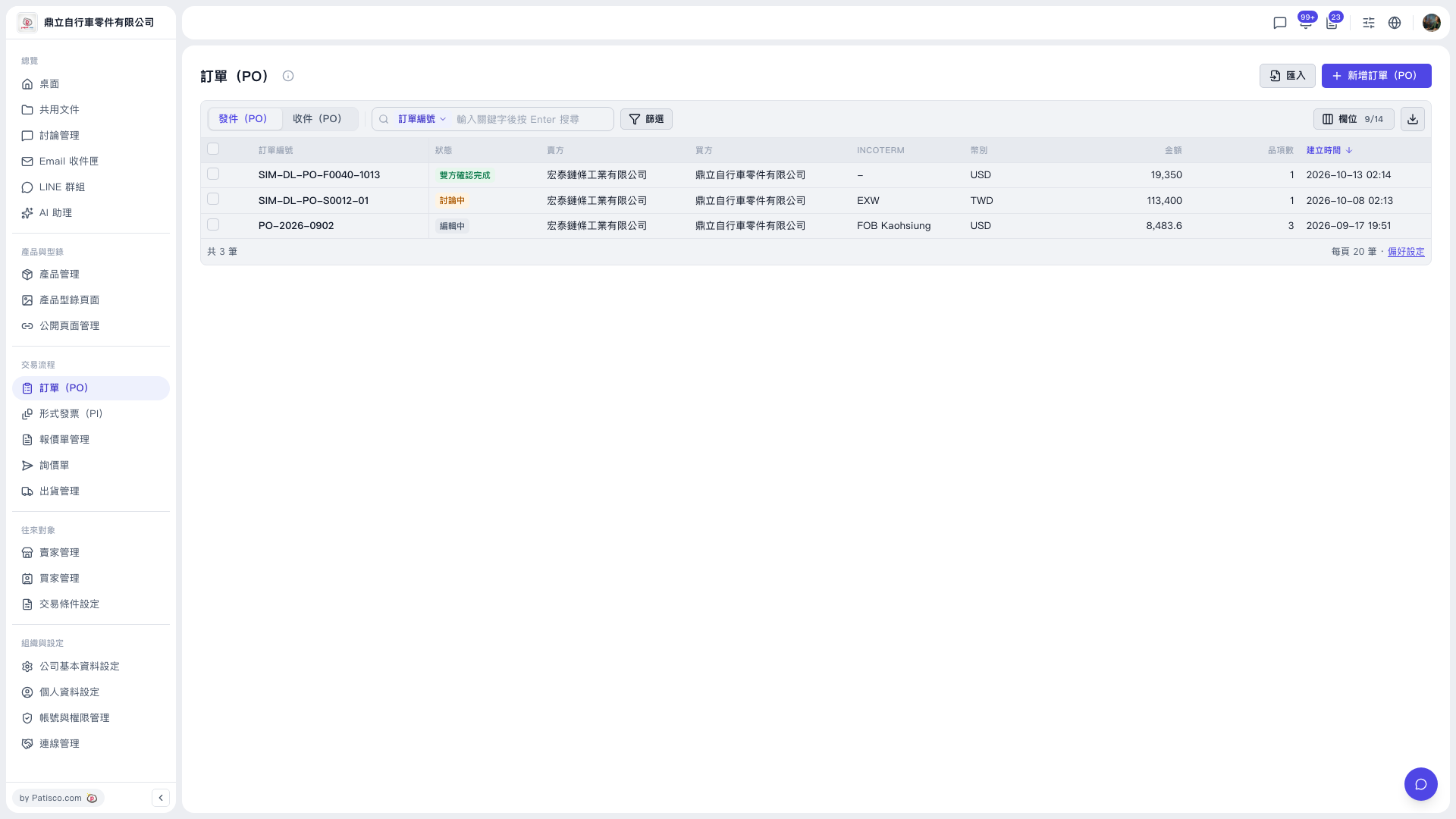
1. In the left sidebar, under "Trading Flow", click "PO". 2. On the "PO" page, the upper left of the list has two tabs, "Sent (PO)" and "Received (PO)". Click one to switch between POs you issued and POs you received. 3. The list shows columns such as PO number, status, seller, buyer, INCOTERM, currency, amount, number of items, and created time. To adjust which columns are shown, click "Columns 9/14" at the upper right of the list.
 V5 新桌面版|訂單(PO)