
1. Open the PO detail page, then scroll to the "Item List" section (you can also click "Item List" in the section navigation on the left to jump there). 2. To edit an existing item: click "Edit" at the right end of its row, change the unit price or quantity, press Enter to save, or press Esc to cancel. 3. To add items: click "Add Items" at the top right of the item list and select from the product library; or click "New Item" to add one manually. 4. To adjust which columns the table shows, click "Columns 8/25" at the top right; to change the order of items, click "Sort". 5. To add an extra charge: scroll down to the "Additional Charges" section and click "New Additional Charge" at the top right. 6. When everything is done, click "Submit" at the top right to send the PO to the seller.
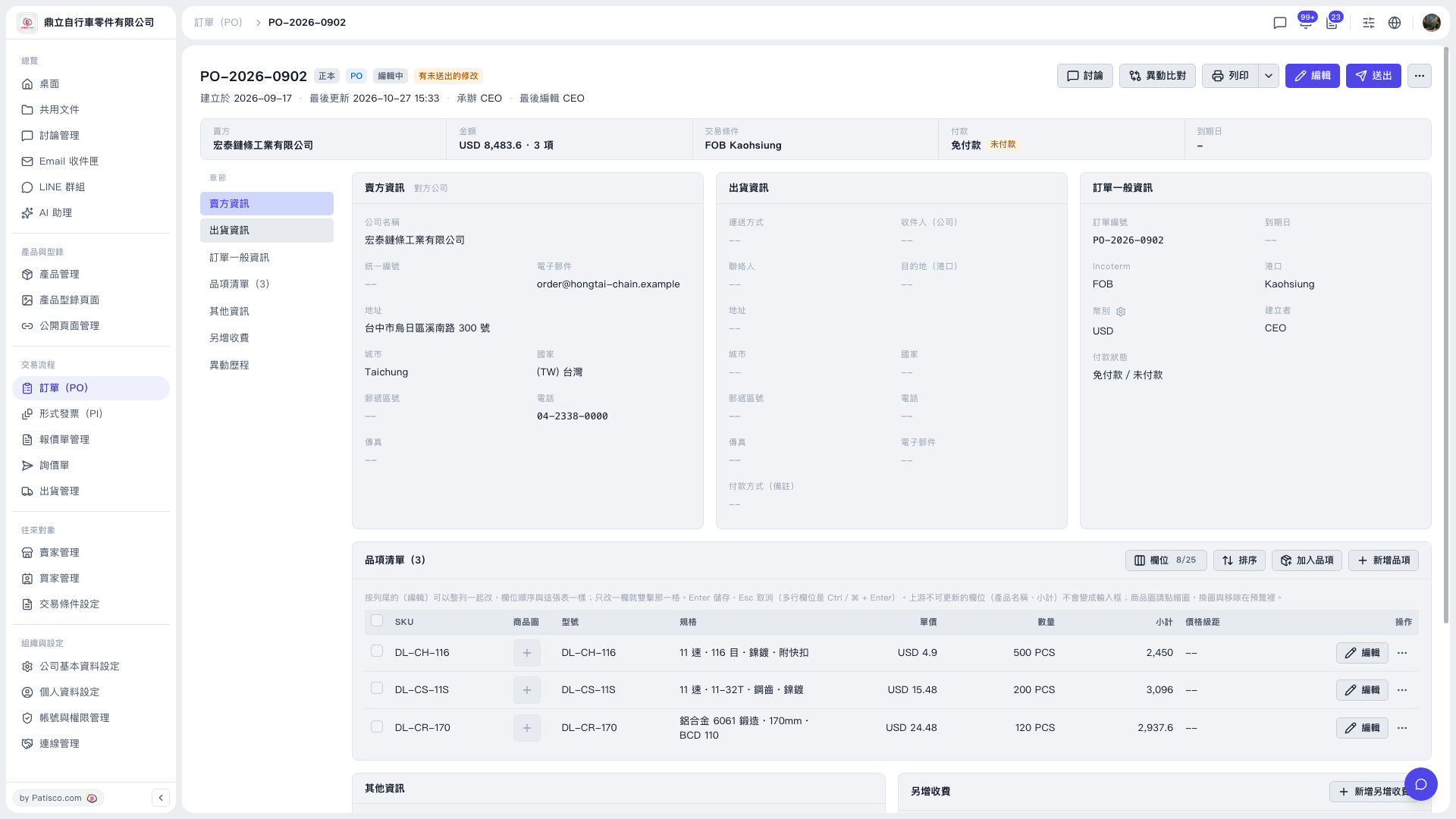 V5 新桌面版|PO-2026-0902(訂單詳情)