
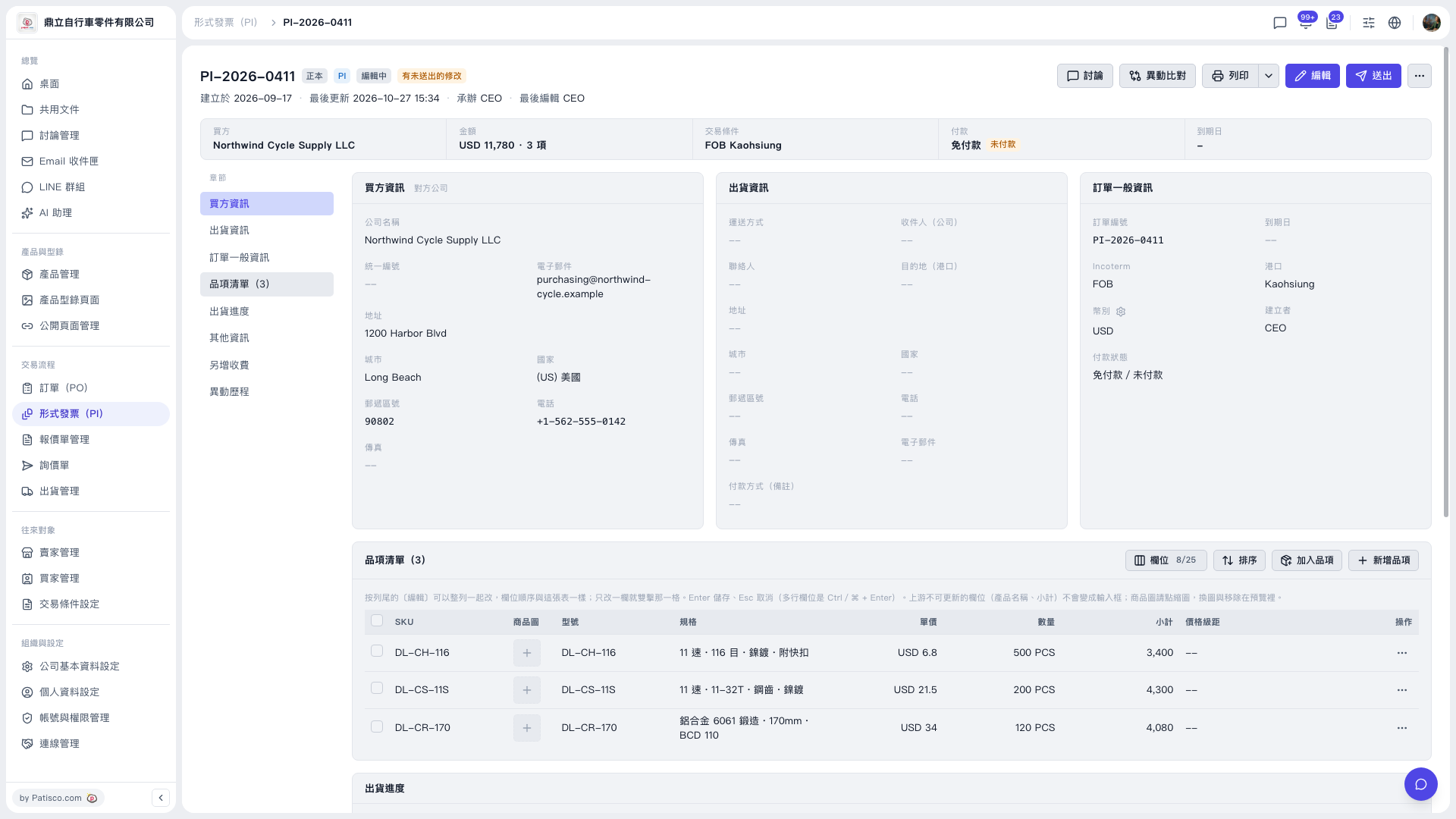
1. Click "Proforma Invoice (PI)" in the left sidebar, then open the PI you want to work on from the list (for example PI-2026-0411). 2. Scroll down to the "Item List" section, or click "Item List" in the section bar on the left of the page to jump there quickly. 3. To pick an existing product from the product library, click "Add Items" at the top right of the item list. 4. To create a new item manually, click "New Item". 5. To change an item's unit price or quantity, click the "…" at the far right of its row, or click "Edit" at the top right. 6. To adjust the order of items, click "Sort"; to show or hide table columns, click "Columns 8/25".
 V5 新桌面版|PI-2026-0411(形式發票詳情)