
1. On the PI detail page (for example PI-2026-0411), click "Compare Changes" at the top right to compare the changes between versions. 2. Use the section bar on the left to check that "Buyer Information", "Shipping Information" and "General Order Information" are complete. You can also open "Change History" to view the records. 3. Once you have confirmed everything is correct, click "Submit" at the top right to send the Proforma Invoice to the buyer. 4. If a notice next to "Submit" says there are unsent changes, the current changes have not yet been sent to the buyer, so click "Submit" again.
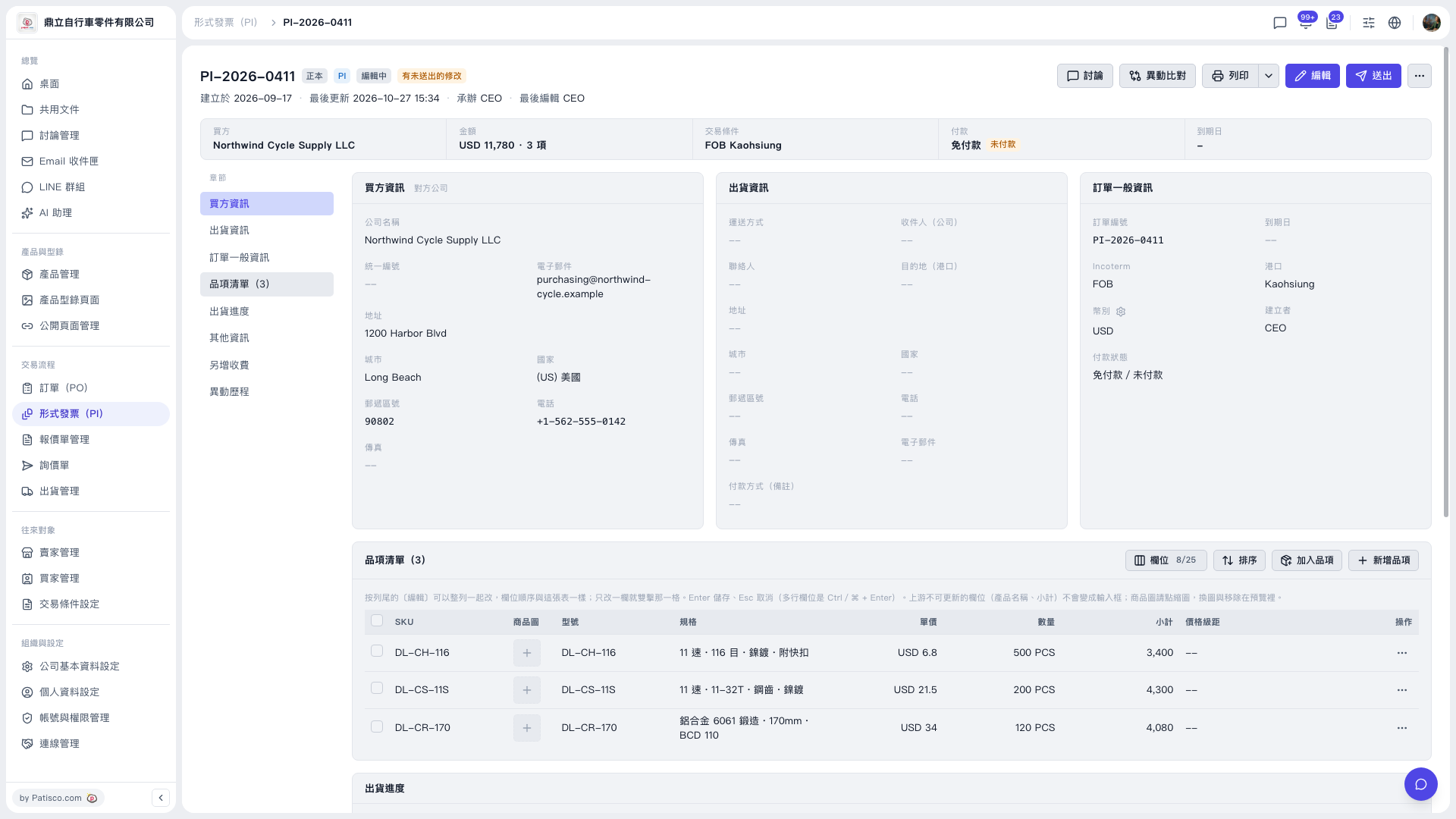 V5 新桌面版|PI-2026-0411(形式發票詳情)