
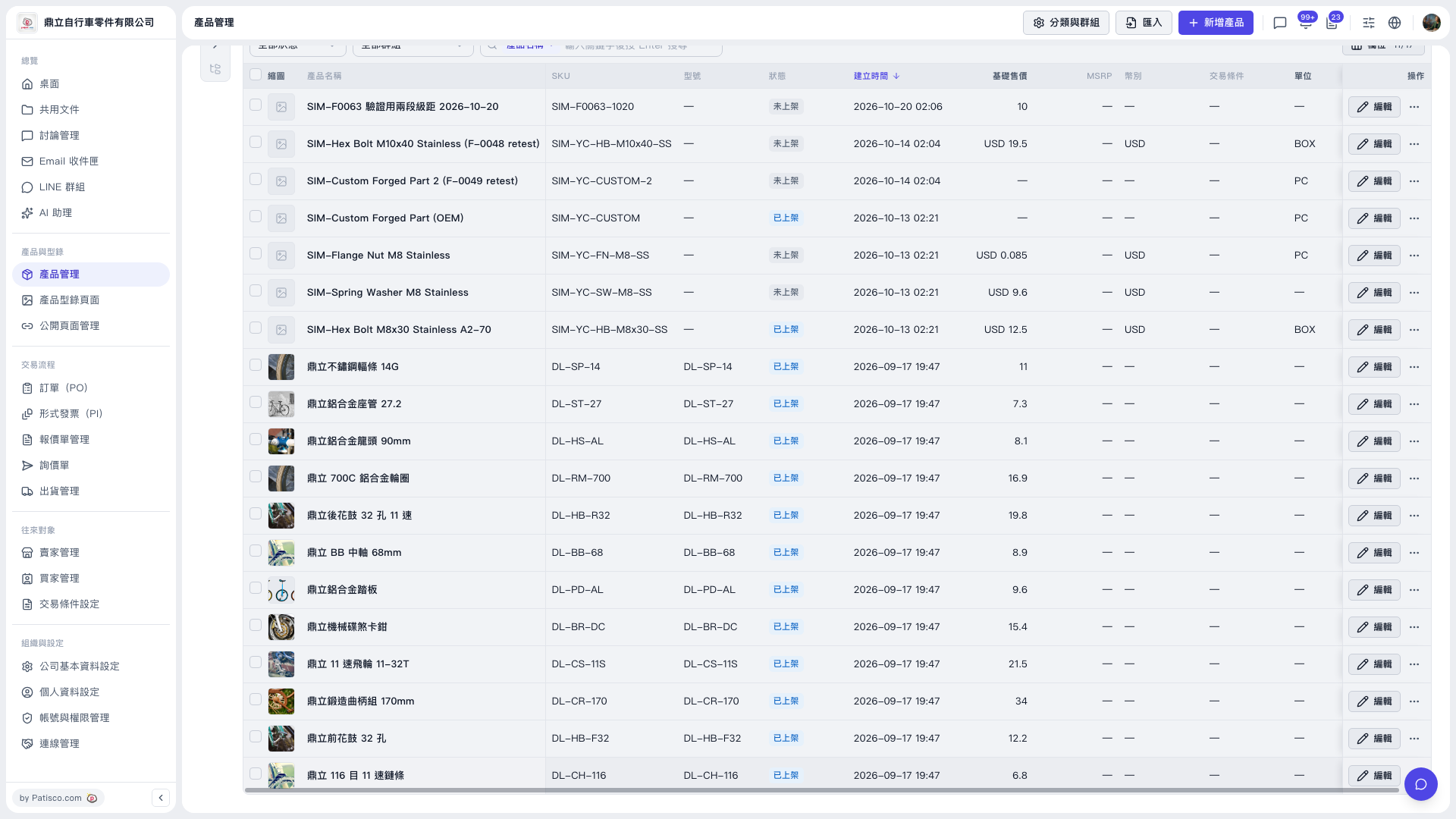
1. In the left sidebar, click "Product Management" under "Products & Catalogs" to open the product list. 2. Use the status and group filters above the list, or type a keyword of the product name in the search box and press Enter, to find the target product. 3. In the list, check the product name, SKU, status and base price to confirm it is the one you want. 4. Click the "Edit" button in the "Actions" column on the right of that product to open its details. 5. Change the fields you need and save.
Note: The list is sorted by "Created Time" from newest to oldest by default; click the "Created Time" header to switch the sort order. The "⋯ (More)" at the far right of each row has other actions.
 V5 新桌面版|產品管理