
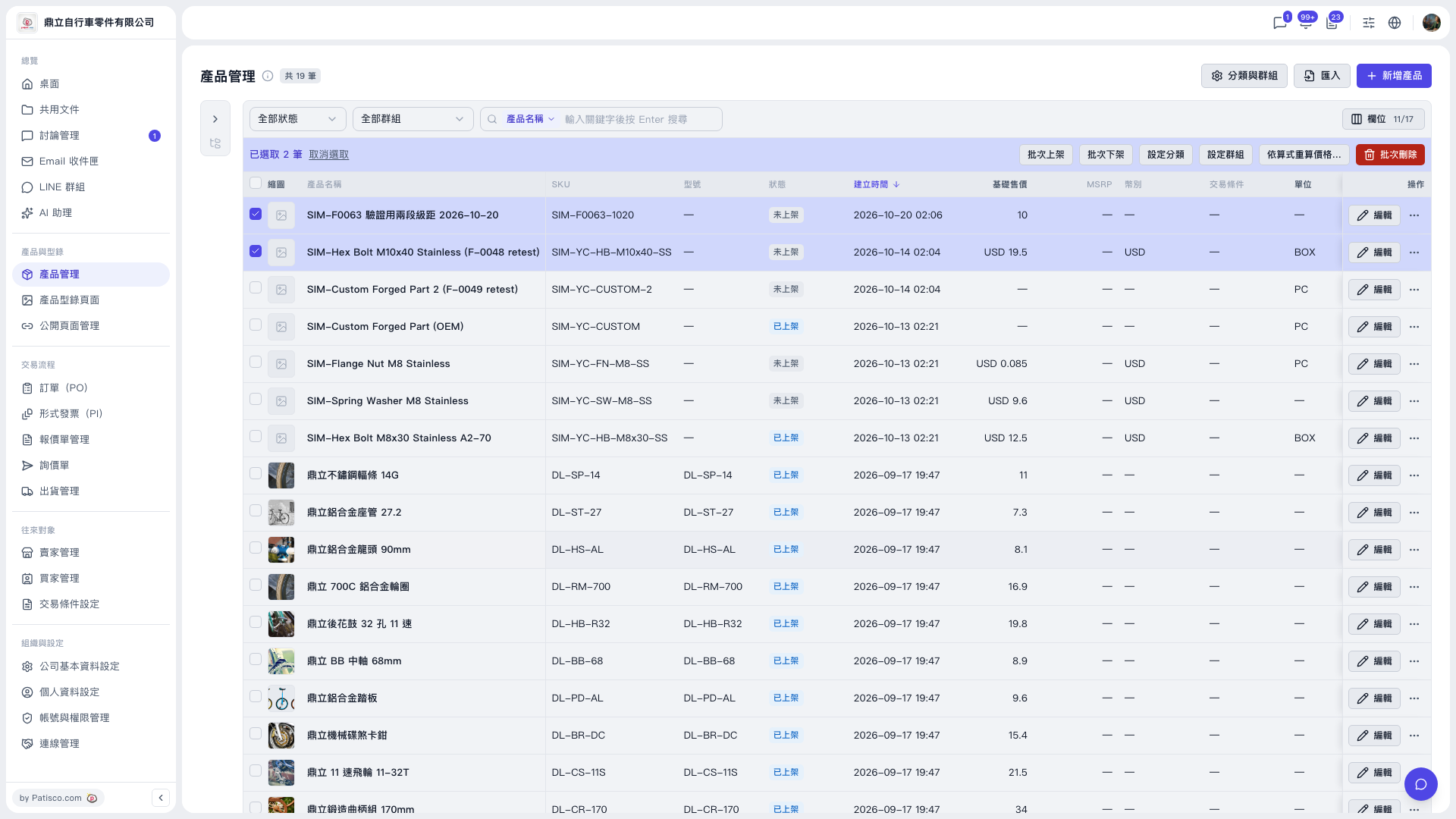
1. In the left sidebar, click "Product Management" under "Products & Catalog" to open the product list. 2. Use the "All statuses" and "All groups" dropdowns at the top, or the search box (select a search field, type a keyword and press Enter), to first filter the products you want to work on. 3. Tick the checkbox on the left of each product. To select all, tick the checkbox in the table header. 4. After you select products, a blue bulk action bar appears above the list and shows "N selected". 5. Click "Bulk list", "Bulk unlist", "Set category" or "Set group" as needed. 6. If a confirmation window appears, check that the content is correct and then confirm. 7. To cancel, click "Clear selection" on the left of the bulk action bar to clear the checkmarks.
Note: "Bulk delete" is at the far right of the action bar (in red). Deleted products cannot be easily restored, so be especially careful.
 V5 新桌面版|產品管理