
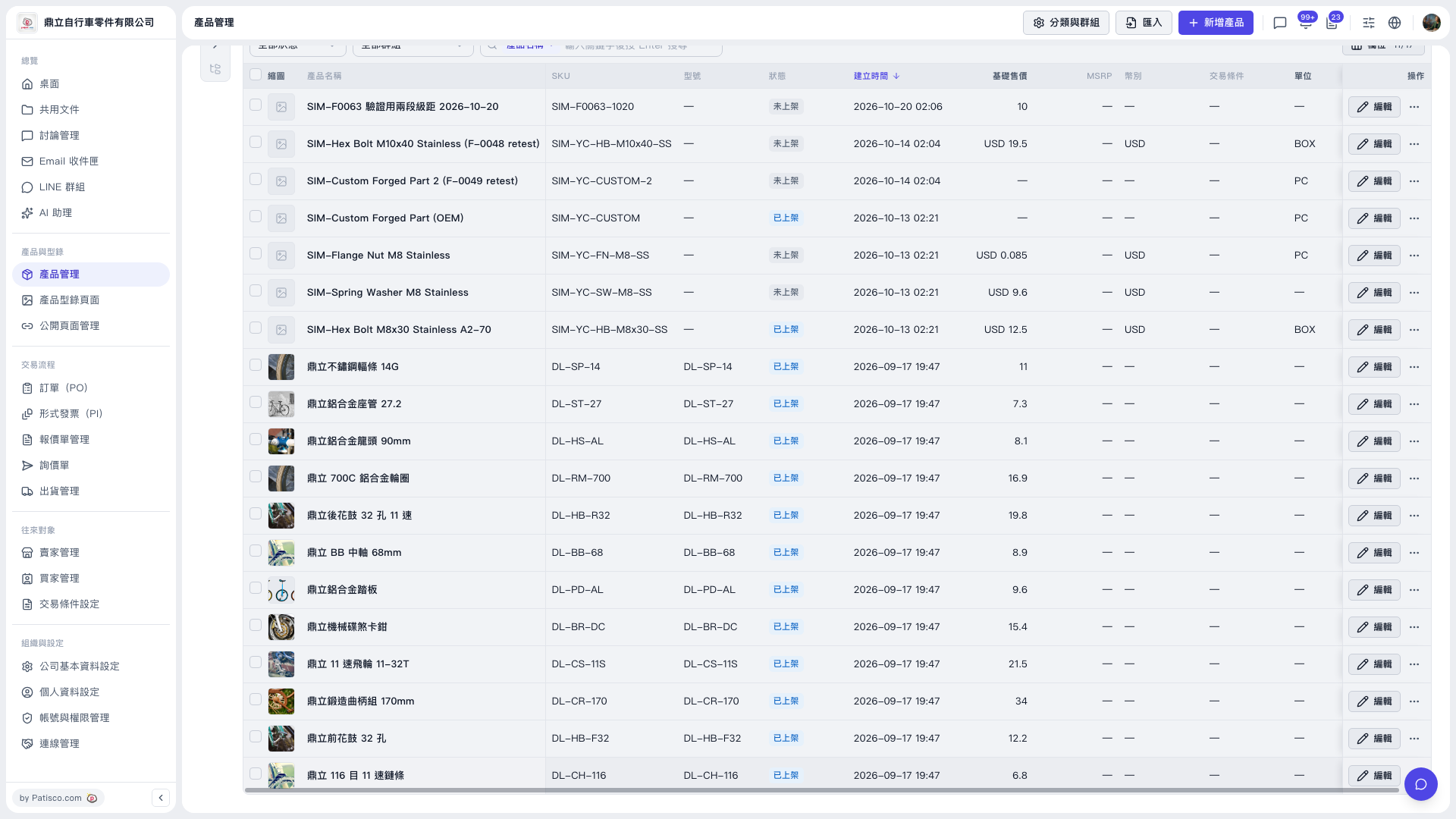
1. In the left sidebar, click "Product Management" under "Products & Catalogs". 2. To add a single product: click the purple "New Product" button at the top right to create a new product record. 3. To create in bulk: click the "Import" button to the left of "New Product" and import product data in batch. 4. To organize product categories or groups, click "Categories & Groups" to the left of "Import".
After importing or adding, the list shows columns such as thumbnail, product name, SKU, model, status, base price, MSRP, currency, trading condition and unit, so you can check that the data is correct.
 V5 新桌面版|產品管理