
1. Go to "Shipping Management" under "Trade Workflow". 2. Click the blue-purple "New Shipment" button at the top right. 3. Fill in the buyer, trading terms, expected shipping date and other details as shown on the screen, then save. 4. If you need to ship by express, click the "Express Shipping" button to the left of "New Shipment".
Note: "Columns 7/8" at the top right of the list lets you set which columns the table shows, such as buyer, expected shipping date, trading terms and adjusted invoice.
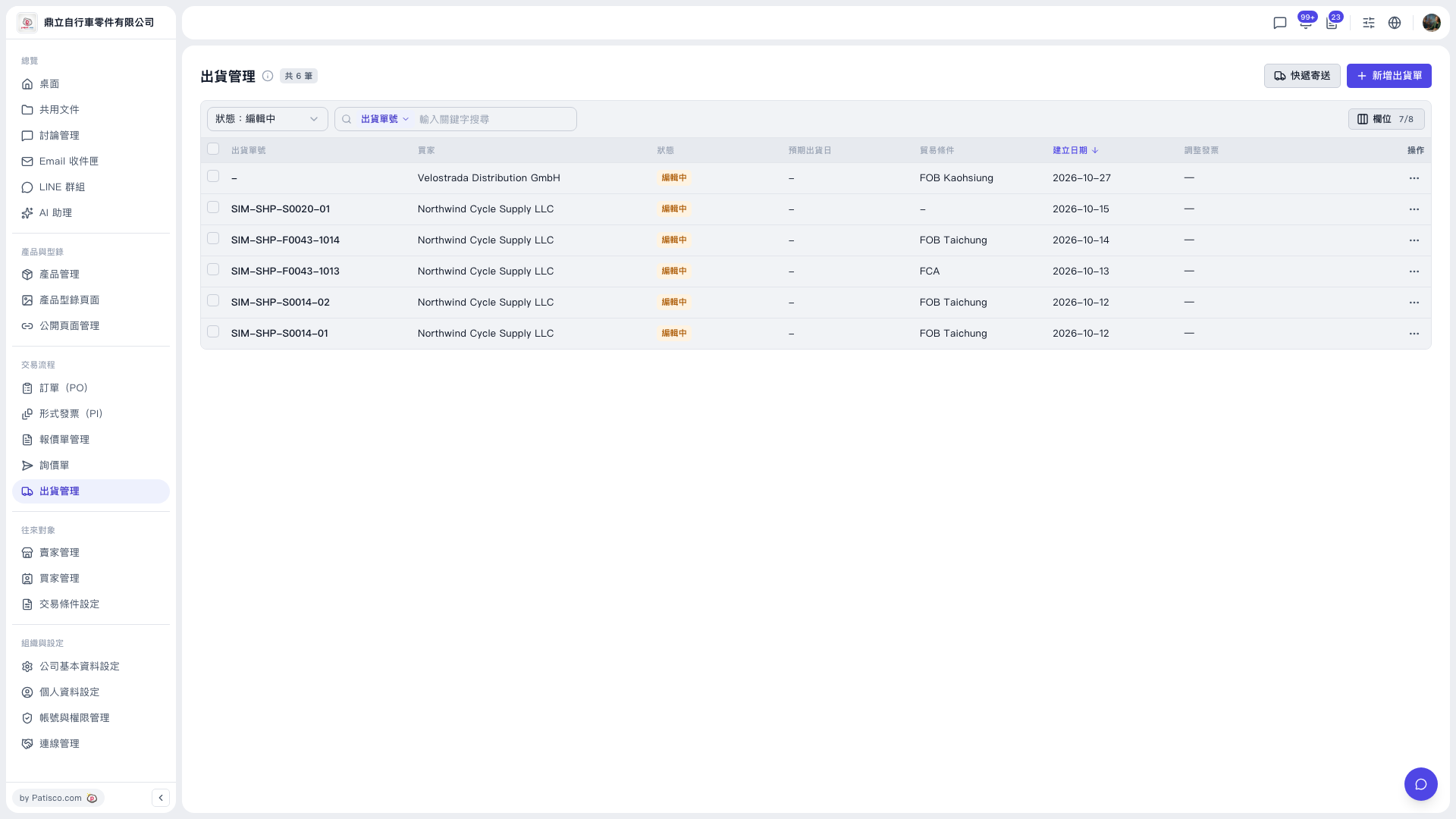 V5 新桌面版|出貨管理