
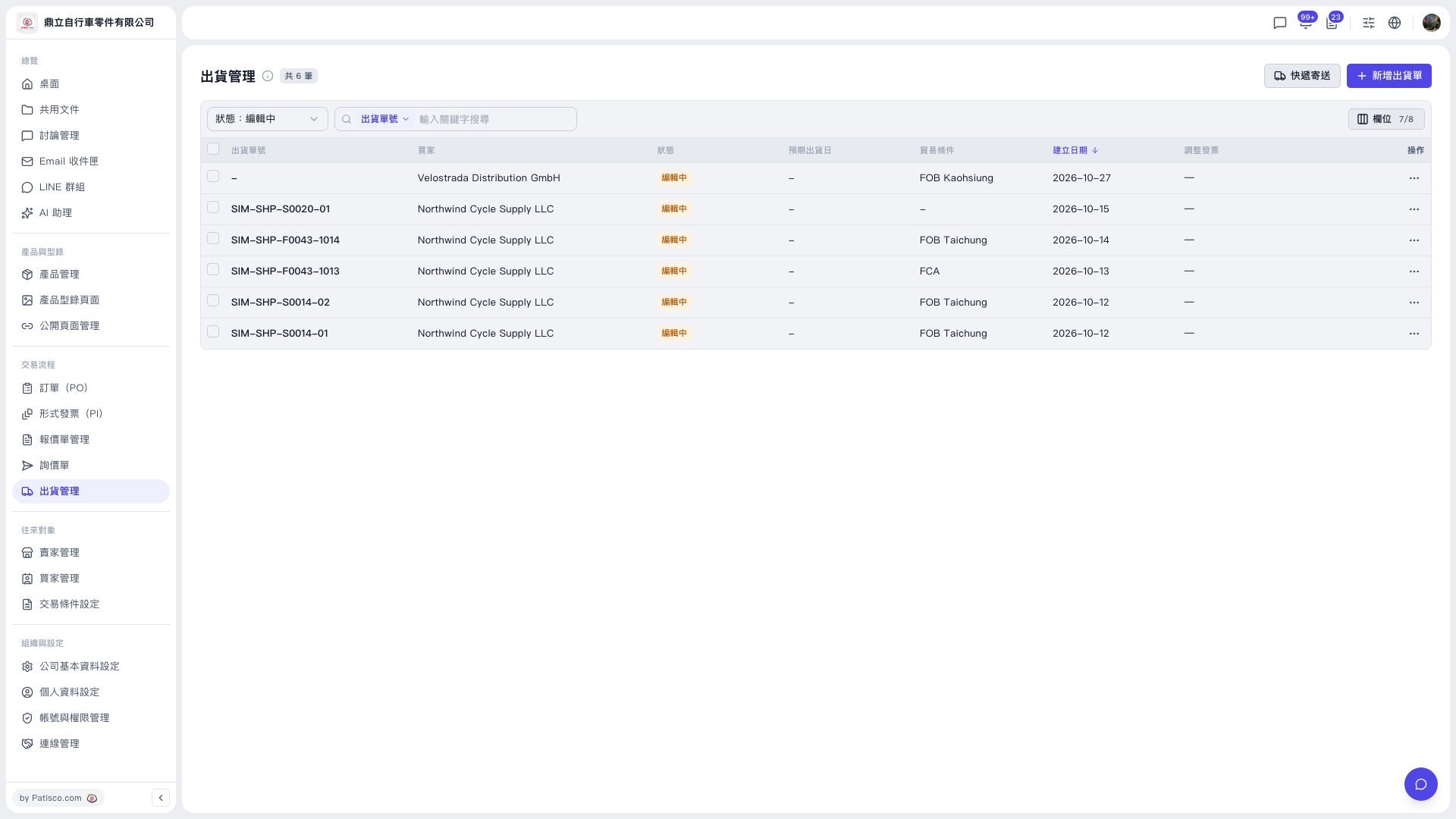
1. In the left sidebar, under "Trade Workflow", click "Shipping Management". 2. Look at the right side of the title bar and find the "Express Shipping" button next to "New Shipment". 3. After you click it, you enter the quick creation flow for express shipping, which suits sending small quantities of goods quickly.
You can ask the AI assistant: "Where is the Express Shipping button?" The AI will answer: "It's at", and point out that the button is at the top right of the Shipping Management page.
 V5 新桌面版|出貨管理