
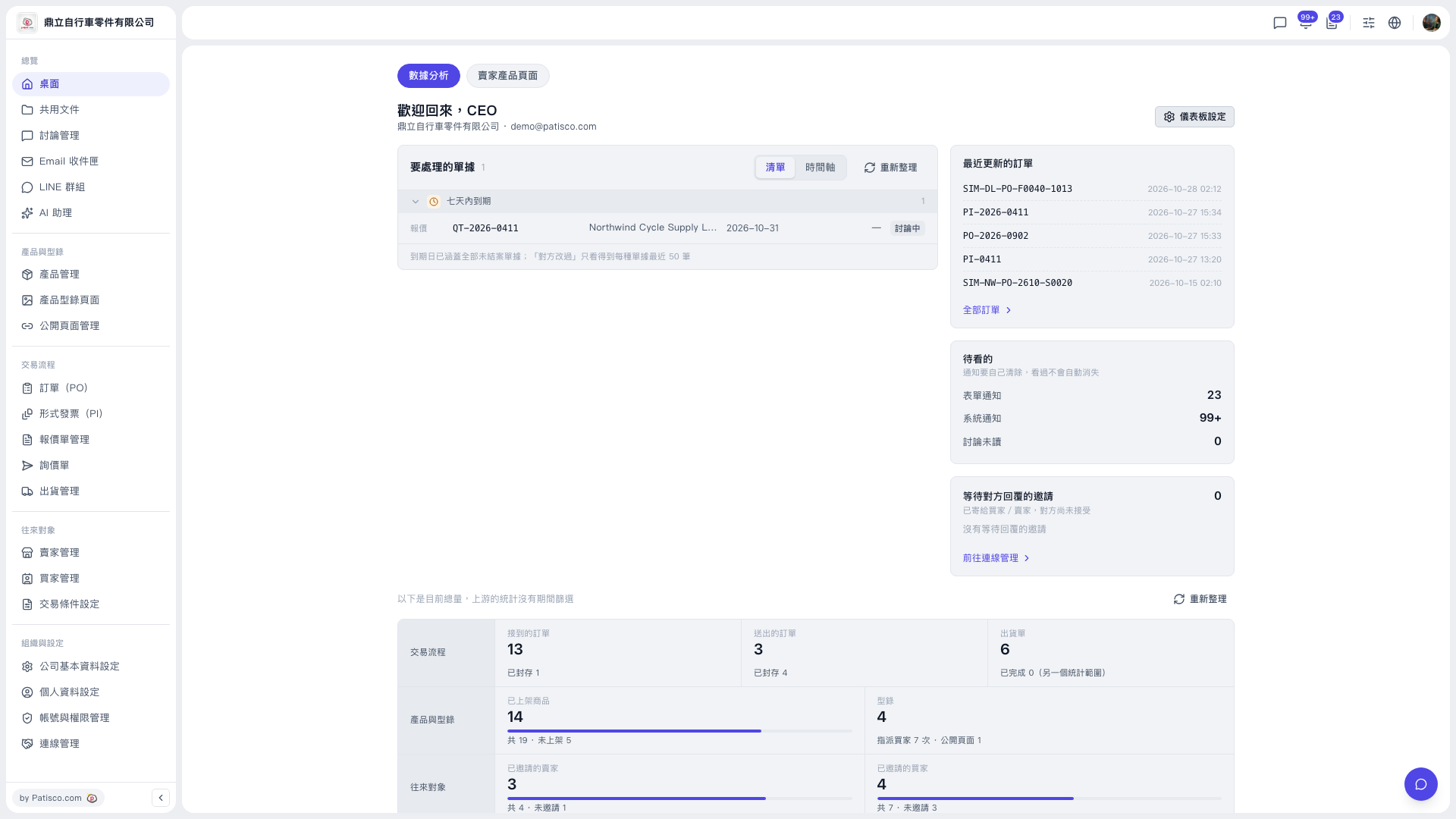
1. After logging in to V5, go to "Overview > Dashboard" from the left sidebar and make sure you are on the "Analytics" tab at the top. 2. Find the "Documents to handle" card, which lists each document's type, number, counterparty, due date, and status. 3. Look for documents due within seven days, such as QT-2026-0411 (quotation). 4. Click the document row to open its details, then reply to the quotation or continue the discussion. 5. To change how it is displayed, click "List" or "Timeline" at the upper right of the card. If the data is not up to date, click "Refresh".
 V5 新桌面版|桌面(歡迎回來,CEO)