
1. Go to "Overview > Dashboard". In the "Recently updated POs" card, check the PO numbers and update times. To see the full list, click "All POs" at the bottom of the card. 2. In the "To review" section, handle form notifications, system notifications, and unread discussions. You can also check the notification icon at the upper right of the top toolbar; the screen currently shows 99+ system notifications and 23 form notifications. 3. To see which invitations the other party has not answered yet, look at the "Invitations awaiting reply" card and click "Go to Connection Management" at the bottom to check invitation statuses. 4. Scroll down to see statistics for the trading flow (received POs, sent POs, shipping orders), products and catalogs, and trading partners. If the numbers are not up to date, click "Refresh" at the upper right of the statistics area.
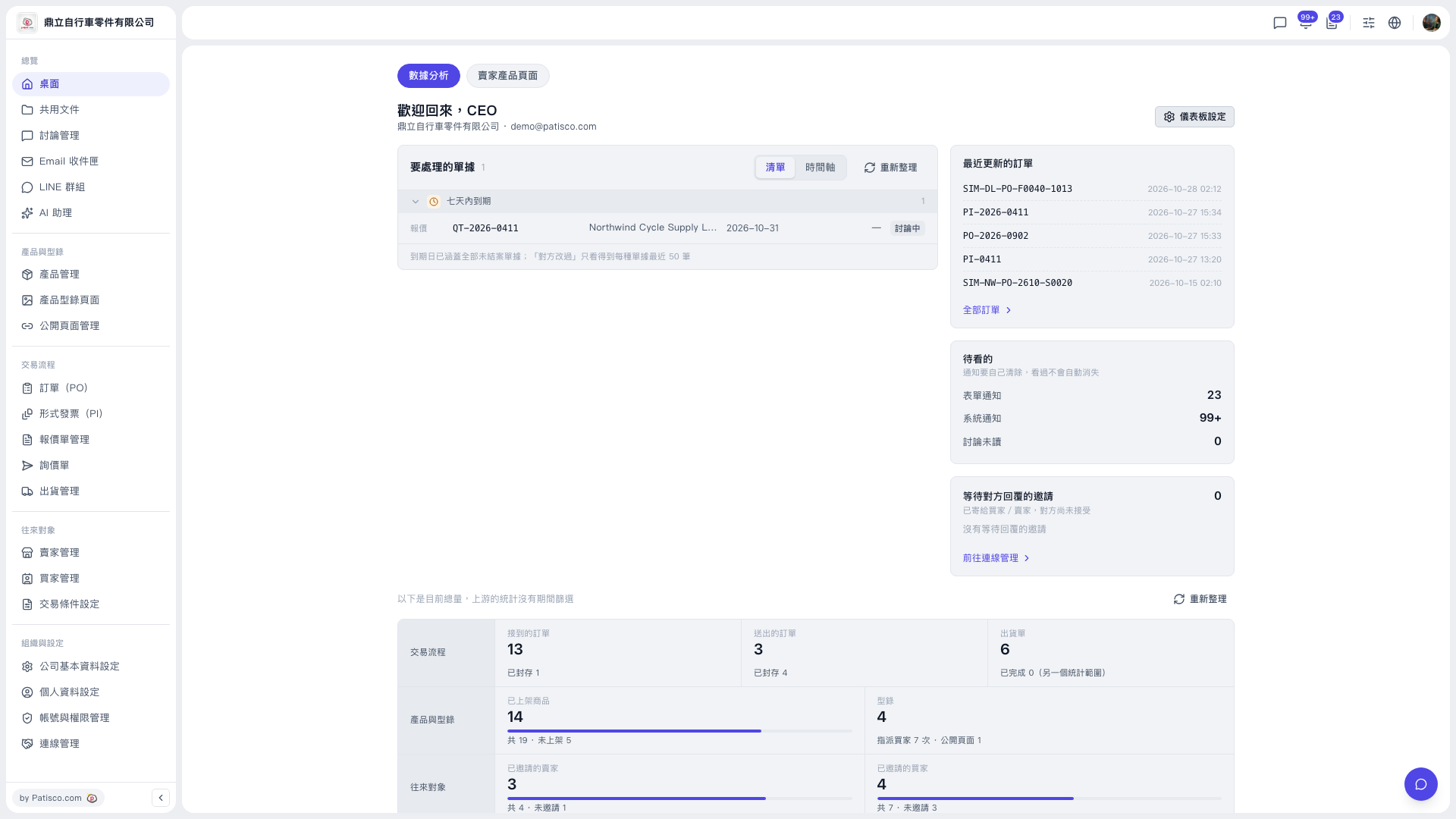 V5 新桌面版|桌面(歡迎回來,CEO)