
1. Open the AI assistant on the PI detail page (for example, PI-2026-0411). 2. You can ask: "Get payment link". 3. The AI will reply: "Not found (it may have been paid or archived)", which means this invoice currently has no payment link available. 4. First check the "Payment Status" field on the page to see whether it has been paid. If it has not been paid, check whether the invoice has been archived. Known situation: This test did not find any other issues, but the AI's reply does not explain the specific reason, so for now you can only check the payment status yourself.
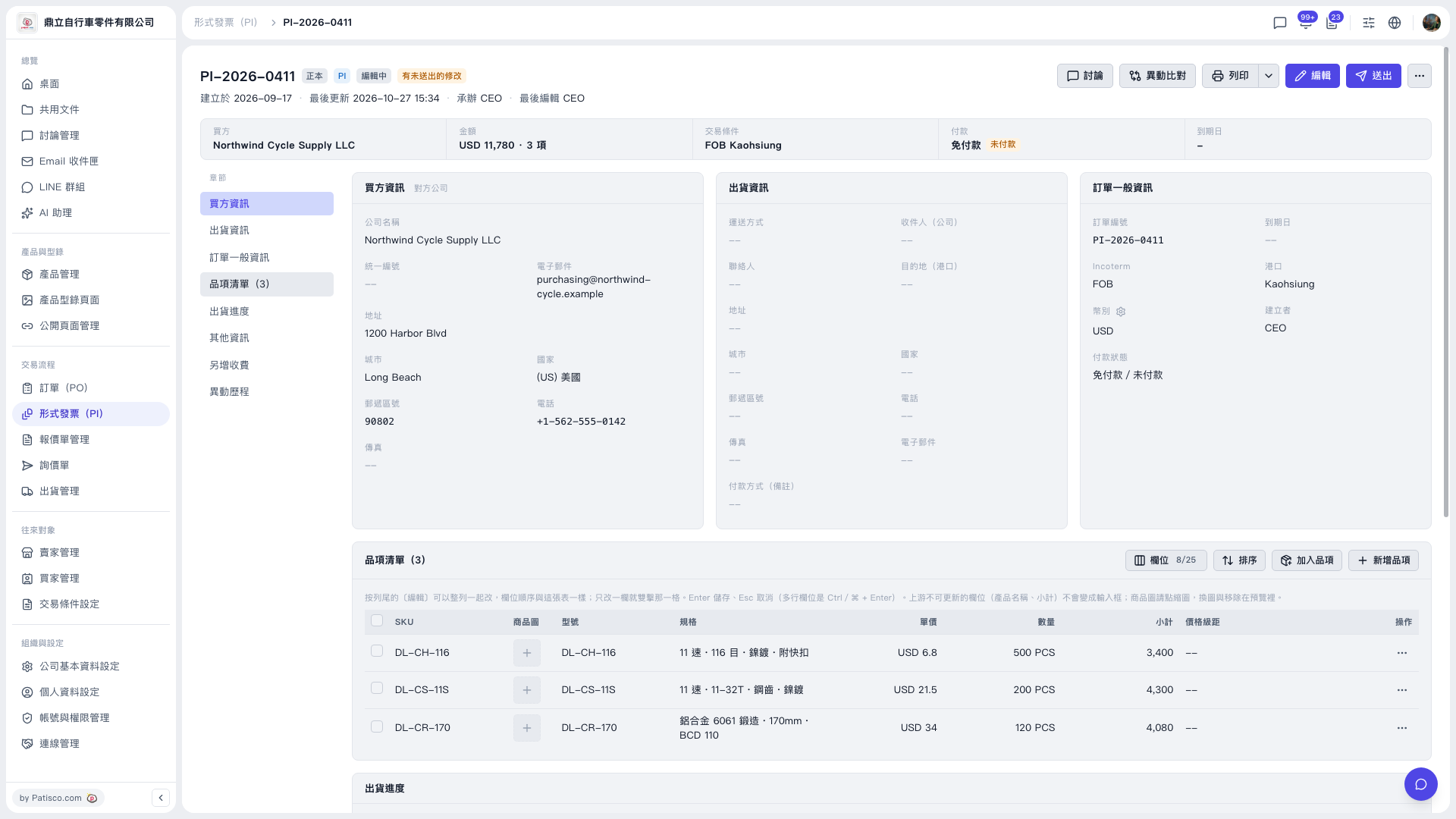 V5 新桌面版|PI-2026-0411(形式發票詳情/編輯中)