
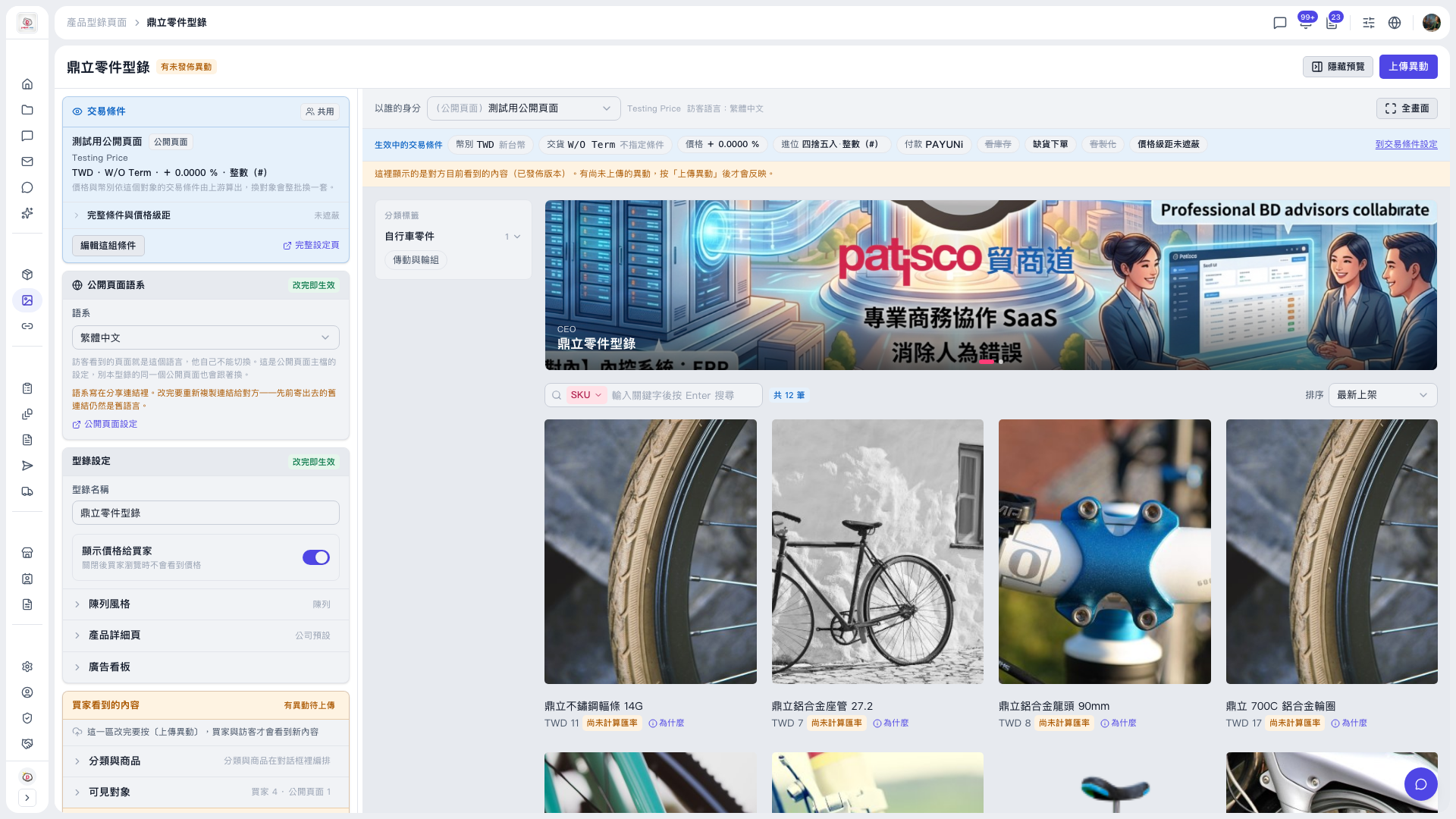
Catalog changes are visible to buyers and visitors only after you upload them. Please do the following: 1. In "Catalog Settings" on the left, edit the "Catalog name" and use the "Show prices to buyers" toggle to decide whether buyers can see prices. 2. Expand "Catalog layout", "Product detail page", and "Banner" to adjust the catalog's appearance and banner content. 3. Expand "What buyers see", arrange products under "Categories and products", and set who can see this catalog under "Visible to". 4. When everything is correct, click "Upload Changes" at the top right.
Exception: The "Public page language" dropdown takes effect as soon as you change it; you do not need to click "Upload Changes" again.
 V5 新桌面版|鼎立零件型錄