
1. In the “Catalog Settings” section on the left, check the catalog name and decide whether to turn on “Show prices to buyers.” 2. In the “Banner” section, use “Manage images” to adjust the banner images. If needed, turn on “Manual slide change (show left/right buttons).” 3. In the preview area on the right, use the “View as” drop-down at the top to choose a target, and check the banner and products that person sees. To see it larger, click “Full screen” at the top right of the preview area. 4. You can also type a keyword in the SKU search box above the product list and press Enter to search products, or use the sort drop-down at the top right to change the order (currently “Newest”). 5. When everything looks correct, click “Upload changes” at the top right to publish the unpublished catalog changes to the other party.
Tip: If the preview takes up too much space, click “Hide preview” to the left of “Upload changes” to collapse it.
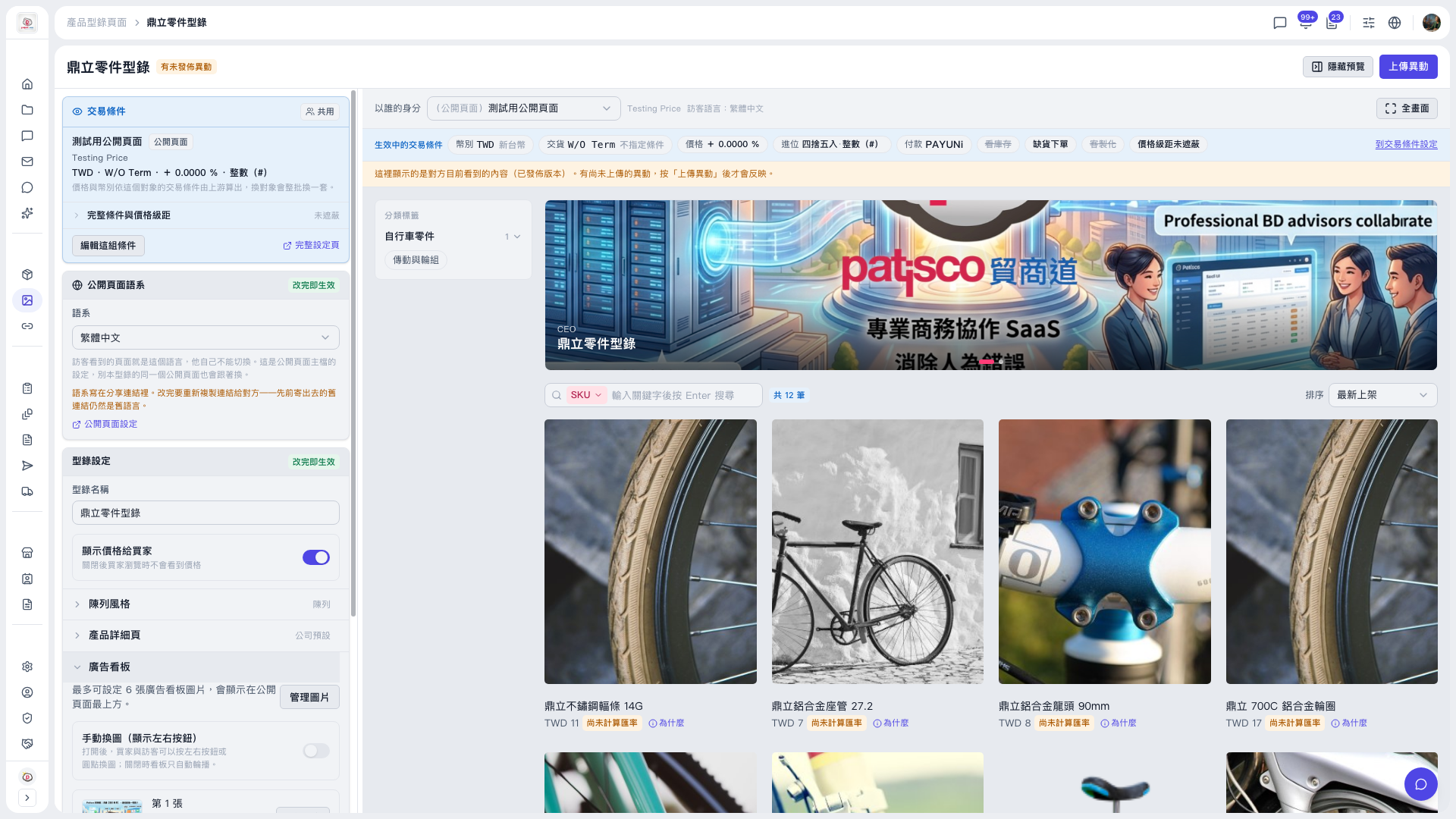 V5 新桌面版|鼎立零件型錄