
1. Click "Discussion Management" in the left sidebar, then click the thread you want to work on. 2. Type your content in the "Type a message" field at the bottom and click "Reply by Email" on the right of the input box. The content will be sent as an email to the external party. 3. To invite others, click "Add participant" in the "Discussion info" panel on the right. 4. To remove an Email participant, use [Remove from discussion] in the participant list of the "Discussion info" panel. In testing, after removing einkauf@velostrada.example, all Email participants of this discussion had been removed. 5. If you don't need the right panel, click "Close (X)" at the top right to collapse it.
Note: The thread itself cannot be deleted (V5 has no delete endpoint). After participants are removed, the thread will remain in the discussion list.
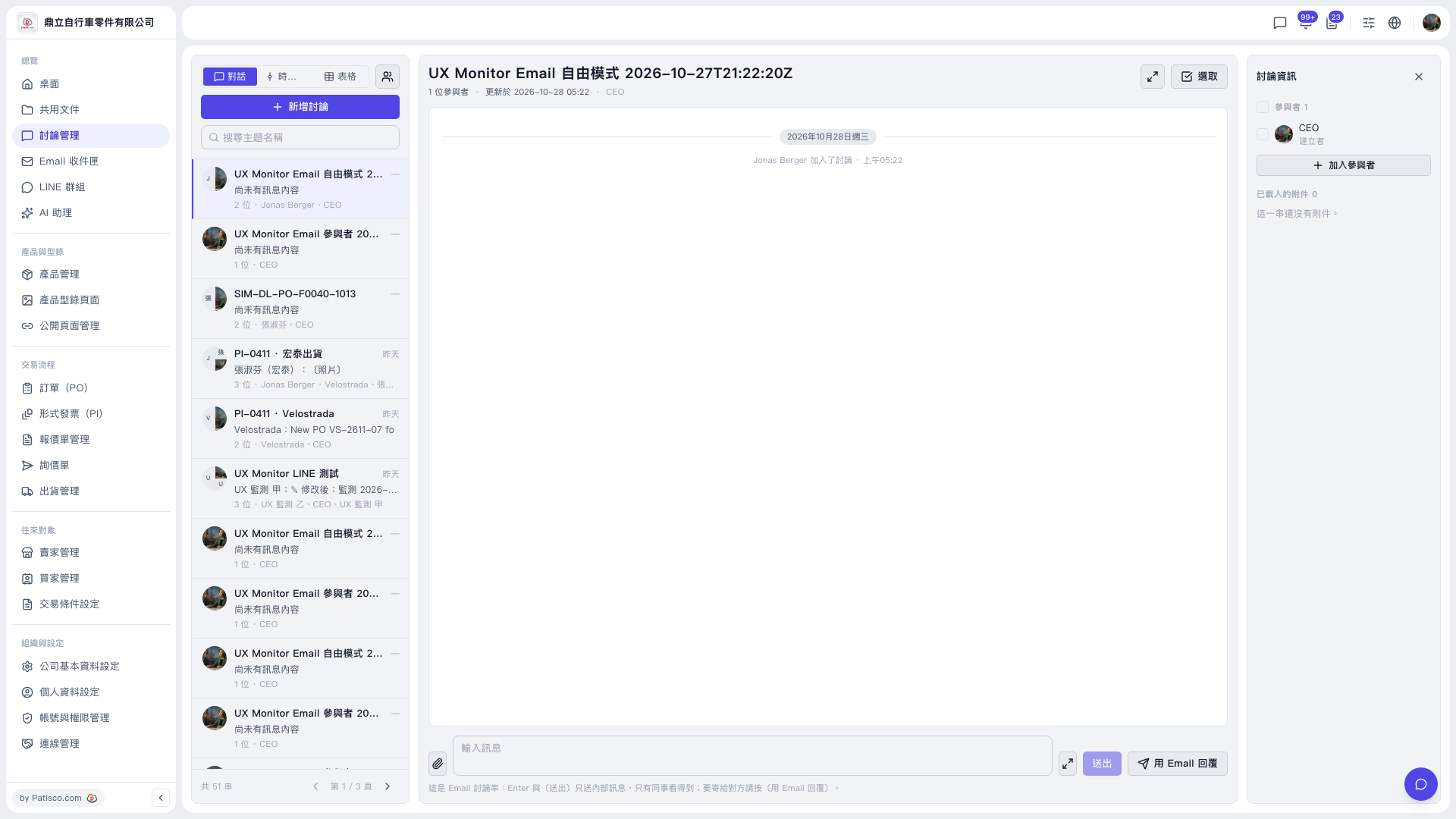 V5 新桌面版|討論管理(UX Monitor Email 自由模式 2026-10-27T21:22:20Z 討論串)