
1. In the left menu, click “Discussion Management” to open the discussion list. 2. Click the purple “New discussion” button above the list on the left to create a new thread. 3. During creation, select the external party. In the test, the first candidate in the list was “Velostrada Distribution GmbH Buyer Jonas Berger · einkauf@velos…” (the candidate list returned 3 entries). 4. After it is created, look at the “Discussion info” panel on the right. The participants list CEO and Jonas Berger, and external email participants are labeled “Email.” 5. To add more people later, click “Add participant.”
Actual test result: the system successfully created the thread and added einkauf@velostrada.example as an email participant.
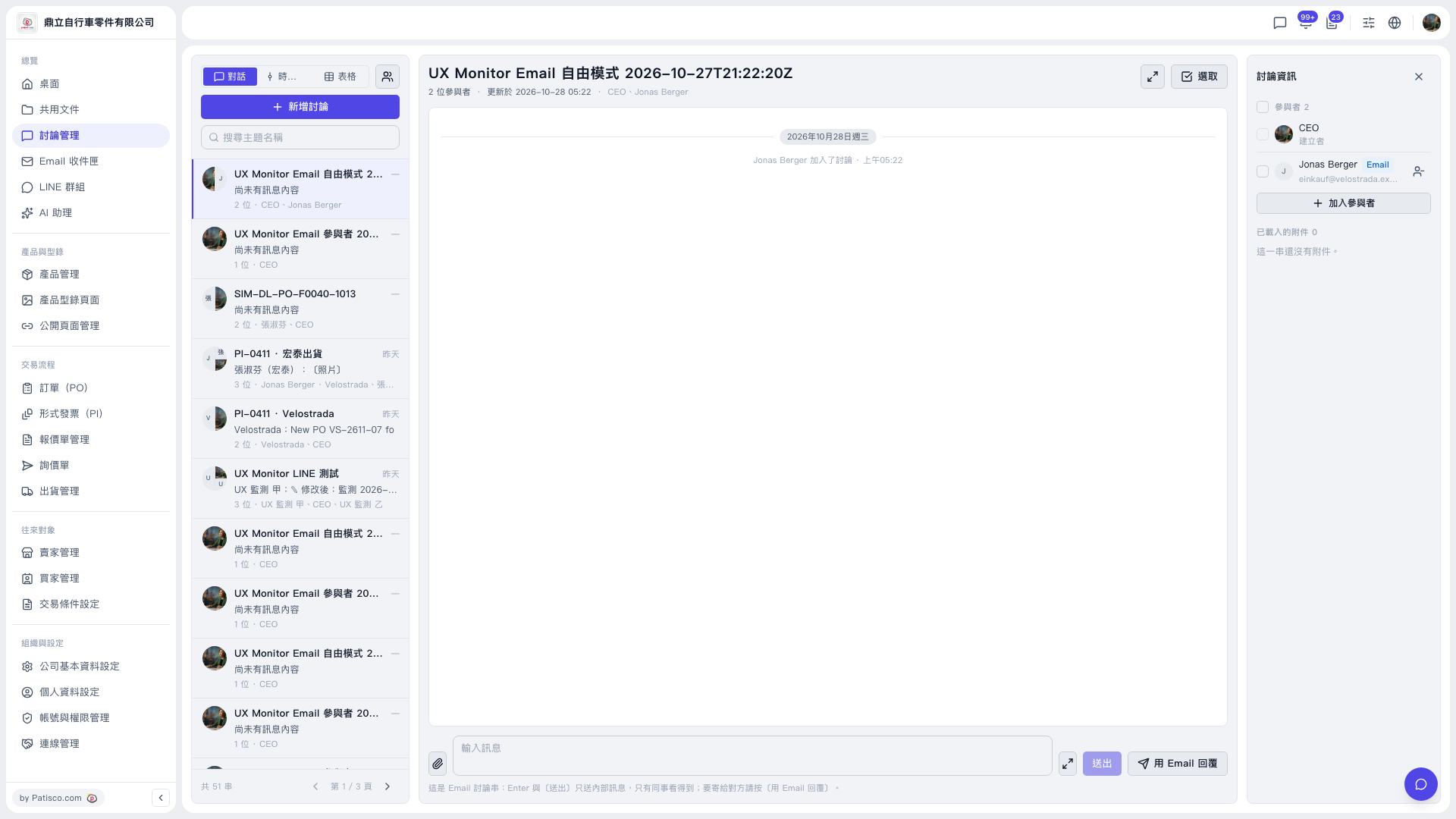 V5 新桌面版|討論管理(目前開啟的討論串:UX Monitor Email 自由模式 2026-10-27T21:22:20Z)