
1. In the left sidebar, click “Discussion Management.” 2. In the discussion list, click the thread you want to invite people to (you can also first type a keyword in “Search by topic name” to find it). 3. In the “Discussion info” panel on the right, click “Add participant.” 4. Select the people you want to invite and confirm. The participant count will be updated.
Note: If the thread has no contacts or email participants, the “People in this thread” section will not appear in the panel. This is normal. To close the panel, click “Close (X)” at the top right of the panel. If “Unsaved changes will be lost” appears and you do not want to keep your edits, click [Discard changes].
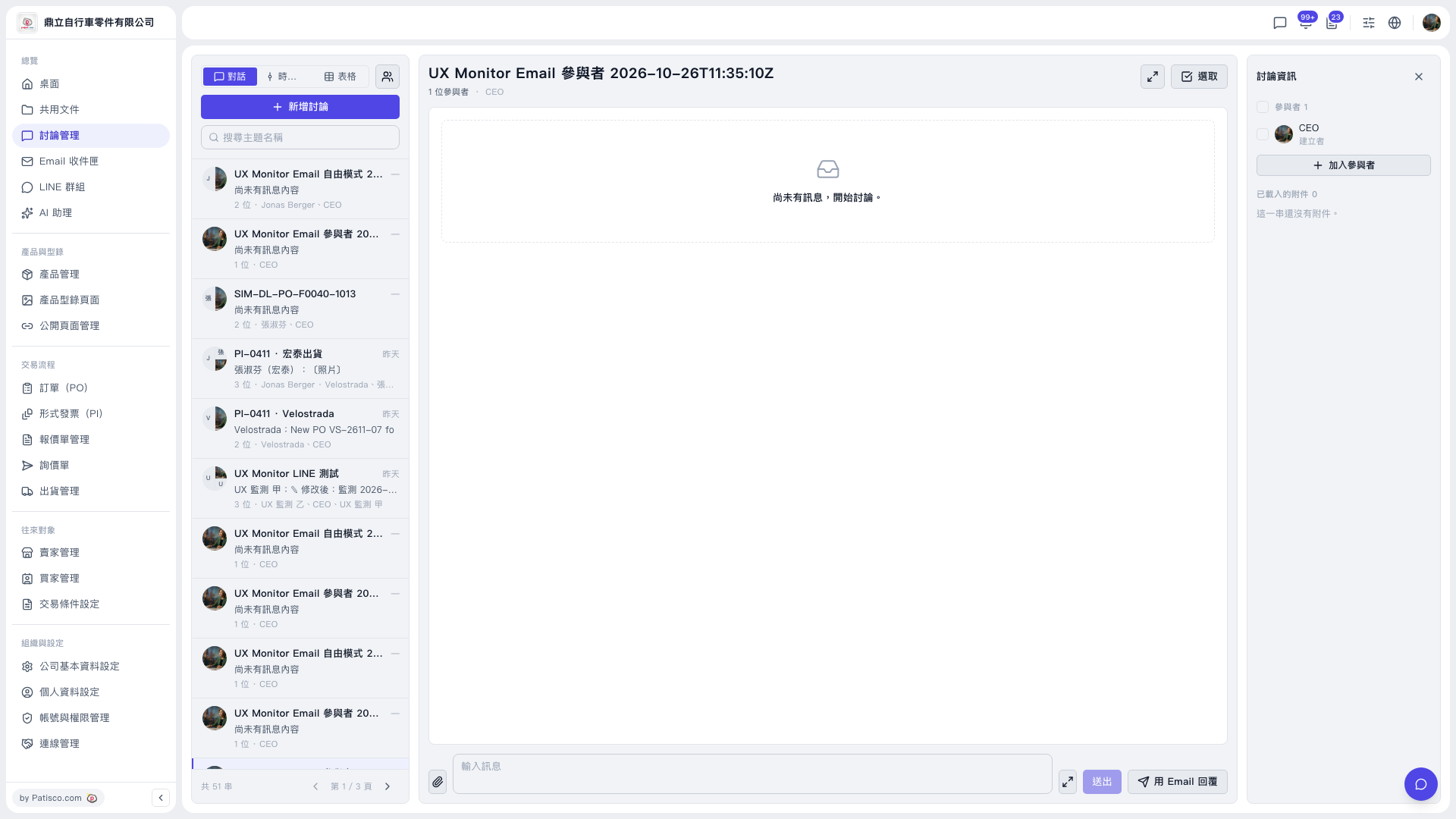 V5 新桌面版|討論管理(討論串:UX Monitor Email 參與者 2026-10-26T11:35:10Z)