
1. In the left sidebar, click “Discussion Management,” then open the thread you want to reply to. 2. Type your content in the “Type a message” field at the bottom of the screen. 3. To attach a file, click the paperclip icon on the left of the input box to upload it. Loaded attachments will be displayed. 4. If you only want to send within the thread, click “Send.” 5. If you want to notify the other party by email, click “Reply by email” on the right of the input box.
Note: “Select” at the top right lets you enter selection mode to select messages in the discussion.
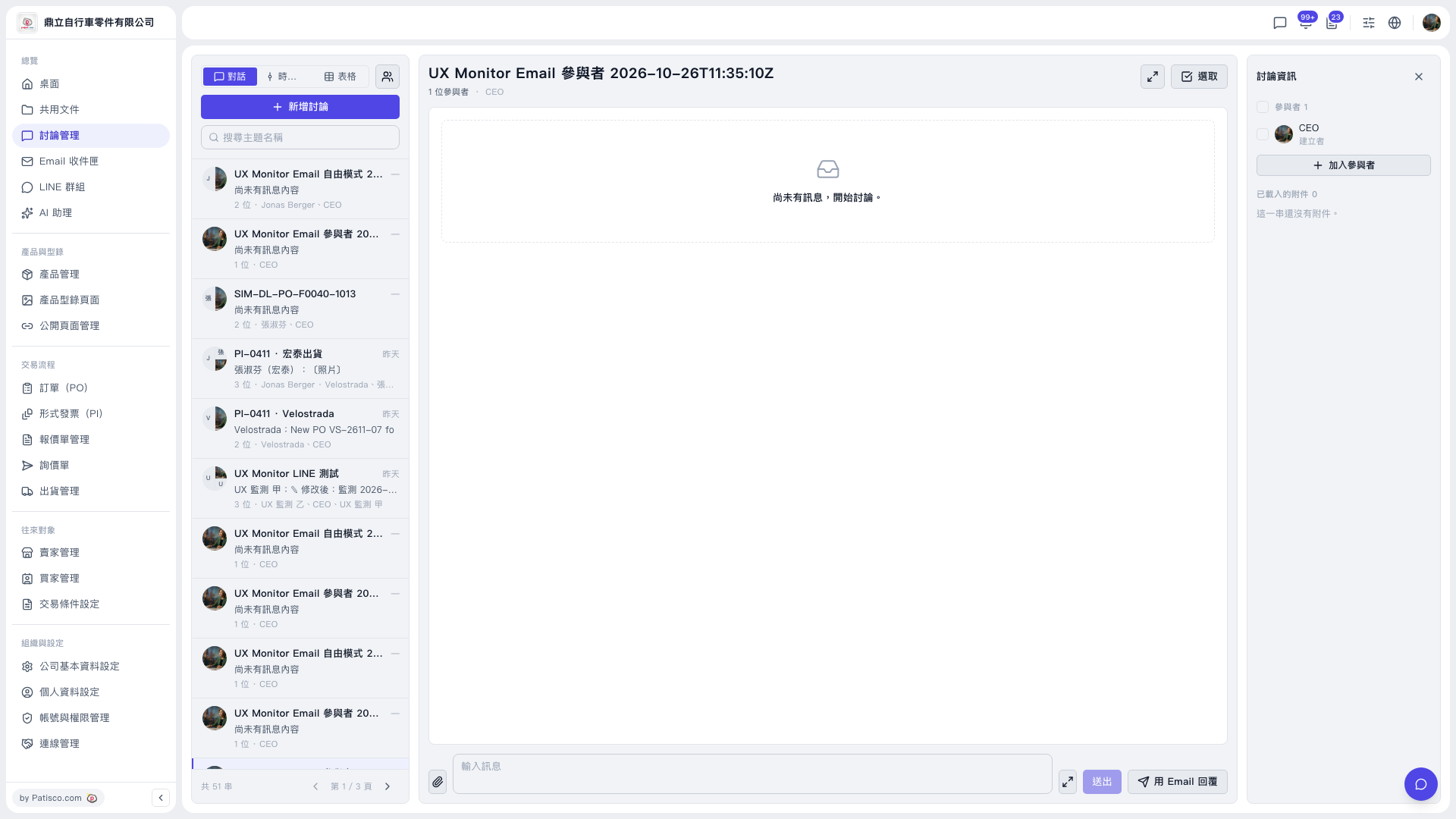 V5 新桌面版|討論管理(討論串:UX Monitor Email 參與者 2026-10-26T11:35:10Z)