
1. Click "Orders (PO)" in the left menu and open the order you want to work on from the list. 2. In the order details, open the "Discussion" panel on the right. 3. Click the blue-purple "+ Send by Email to…" at the top of the panel, or click "Write new email" in the center of the panel. 4. The recipient of "Write new email" defaults to the seller's Email. "Attach the PDF of this PO" is checked by default, and the PDF language defaults to "English". You can adjust these if needed. 5. After confirming the content, send it. The system will open an Email discussion thread for this document, and the other party's replies will come back to the same thread, where you can track them.
Note: "Write new email" can only be clicked after you have linked your own mailbox. This panel has no option for "Attach payment link".
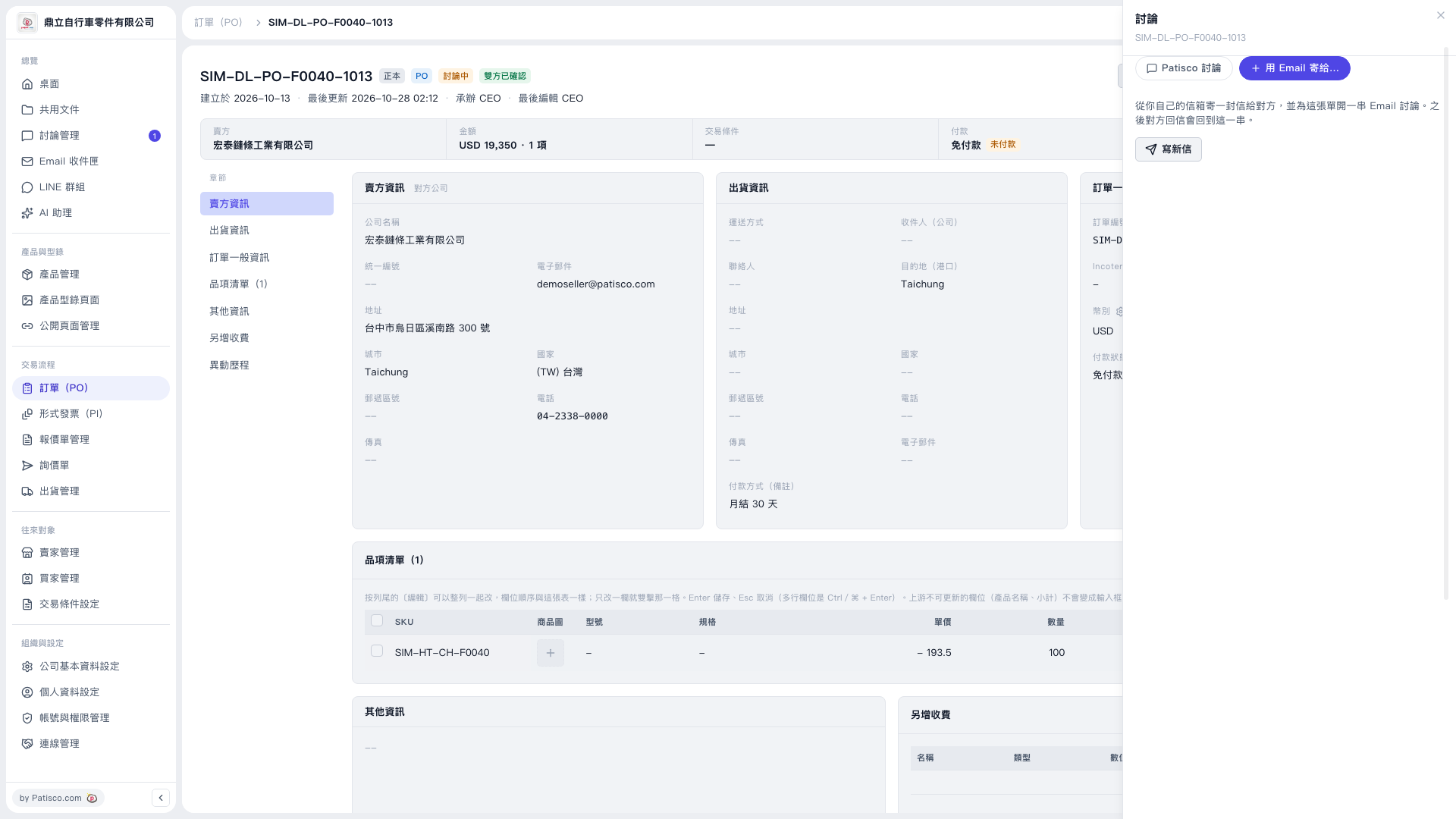 V5 新桌面版|SIM-DL-PO-F0040-1013(訂單 PO 詳情,右側開啟「討論」面板)