
1. After opening the order details, click the "Discussion" panel on the right. 2. There are two options at the top of the panel: - "Patisco Discussion": switches to the in-platform order discussion thread, where you communicate within the platform. - "+ Send by Email to…": opens a discussion with the seller by Email, and the other party's replies come back to this thread. 3. To move back and forth between the discussion and the order content, use the section bar on the left of the page (Seller Information, Shipping Information, General Order Information, Item List, Other Information, Additional Charges, Change History) to jump to the corresponding section. 4. When you finish the discussion, click the "X" at the top right of the panel to close it and return to the order details.
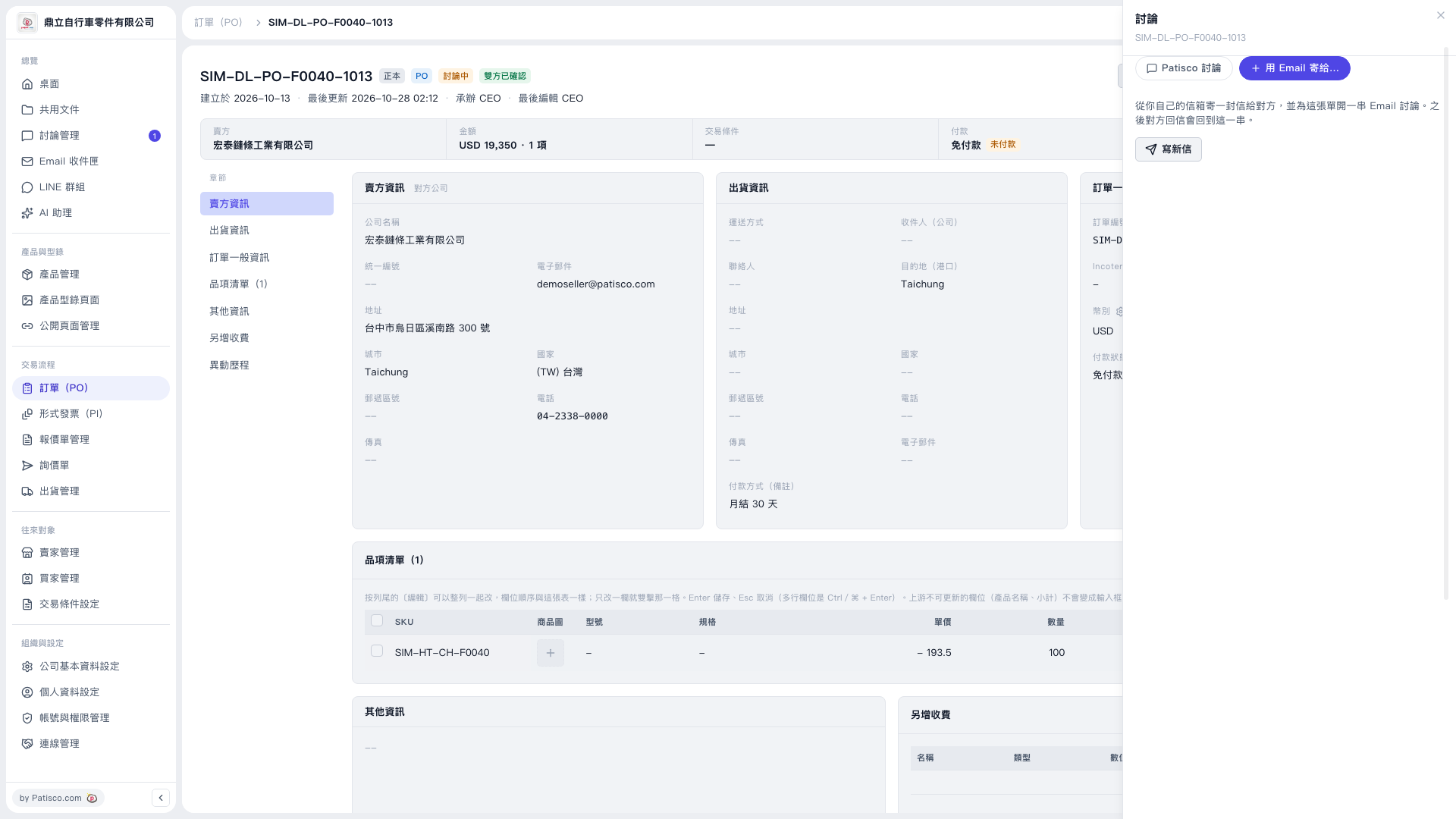 V5 新桌面版|SIM-DL-PO-F0040-1013(訂單 PO 詳情,右側開啟「討論」面板)