
1. Click "Transaction Flow > Inquiry" in the left sidebar and open the inquiry you want to modify. 2. Use the section bar on the left and click "Items" to jump to the item section. 3. Click "Edit" at the far right of the item row you want to change, and the whole row becomes editable (quantity, unit price, etc.). 4. After making changes, press Enter to save, or press Esc to cancel. 5. To add an item, click "Add item" at the top right of the item section.
Note: Item changes are saved immediately and are not affected by the "Edit" in the page header, so you don't need to click "Edit" at the top right again.
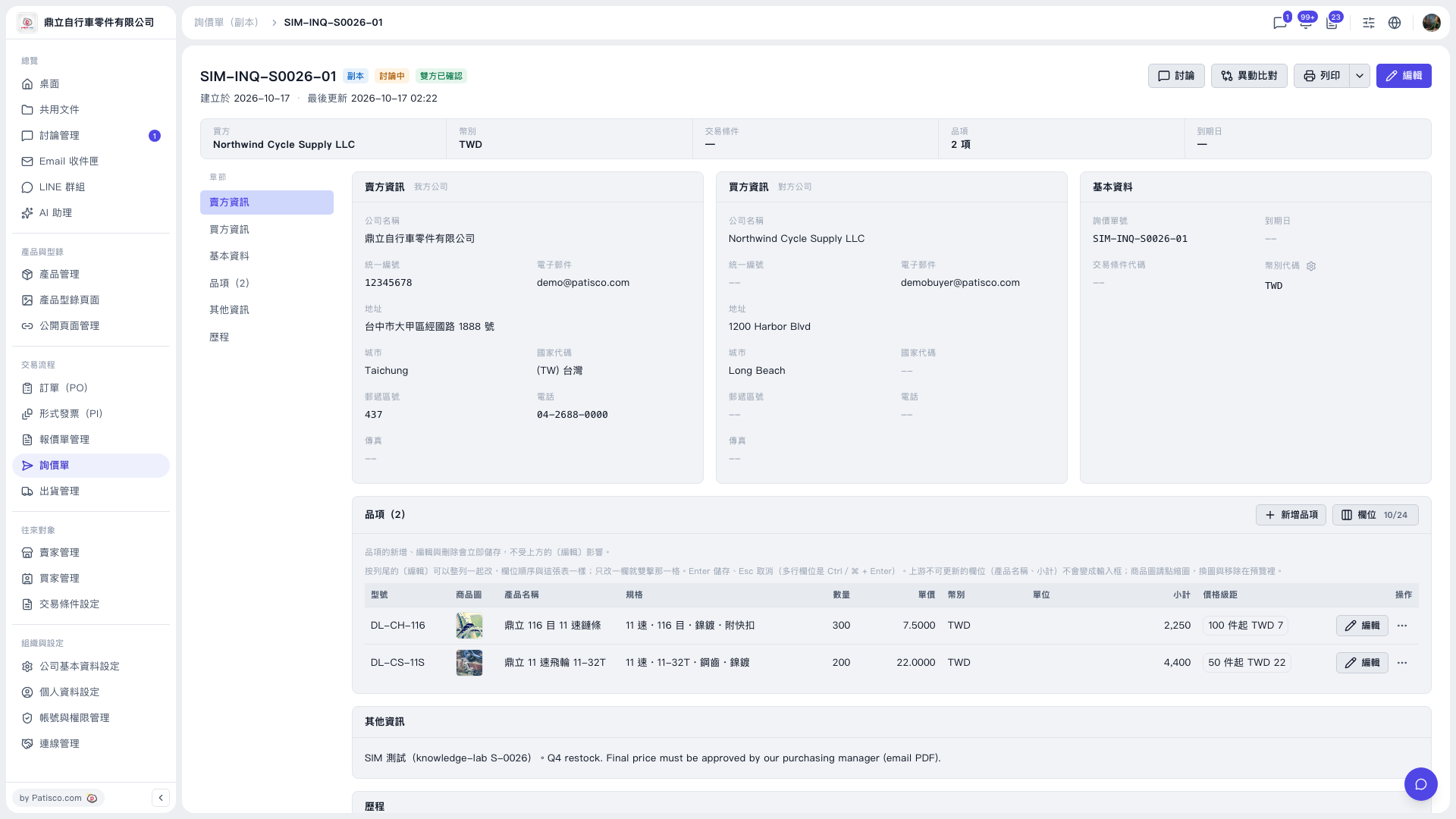 V5 新桌面版|SIM-INQ-S0026-01(詢價單詳情,副本)