
1. In the left sidebar, click "Transaction Flow > Inquiry" and open the inquiry. 2. At the top of the page, check the status tags (for example copy, under discussion, confirmed by both parties) and the summary information (buyer, currency, number of items). Taking SIM-INQ-S0026-01 (copy) in the demo account as an example, the current status is under negotiation, nothing is pending sync, and the other party has confirmed. 3. To communicate with the buyer, click "Discussion" in the upper right of the page header. 4. To see what changed between versions, click "Diff view" in the upper right of the page header. 5. To output a document, click "Print". The dropdown arrow next to it offers other print or export options. 6. To edit other data of the inquiry (not the items), click the purple "Edit" button in the upper right.
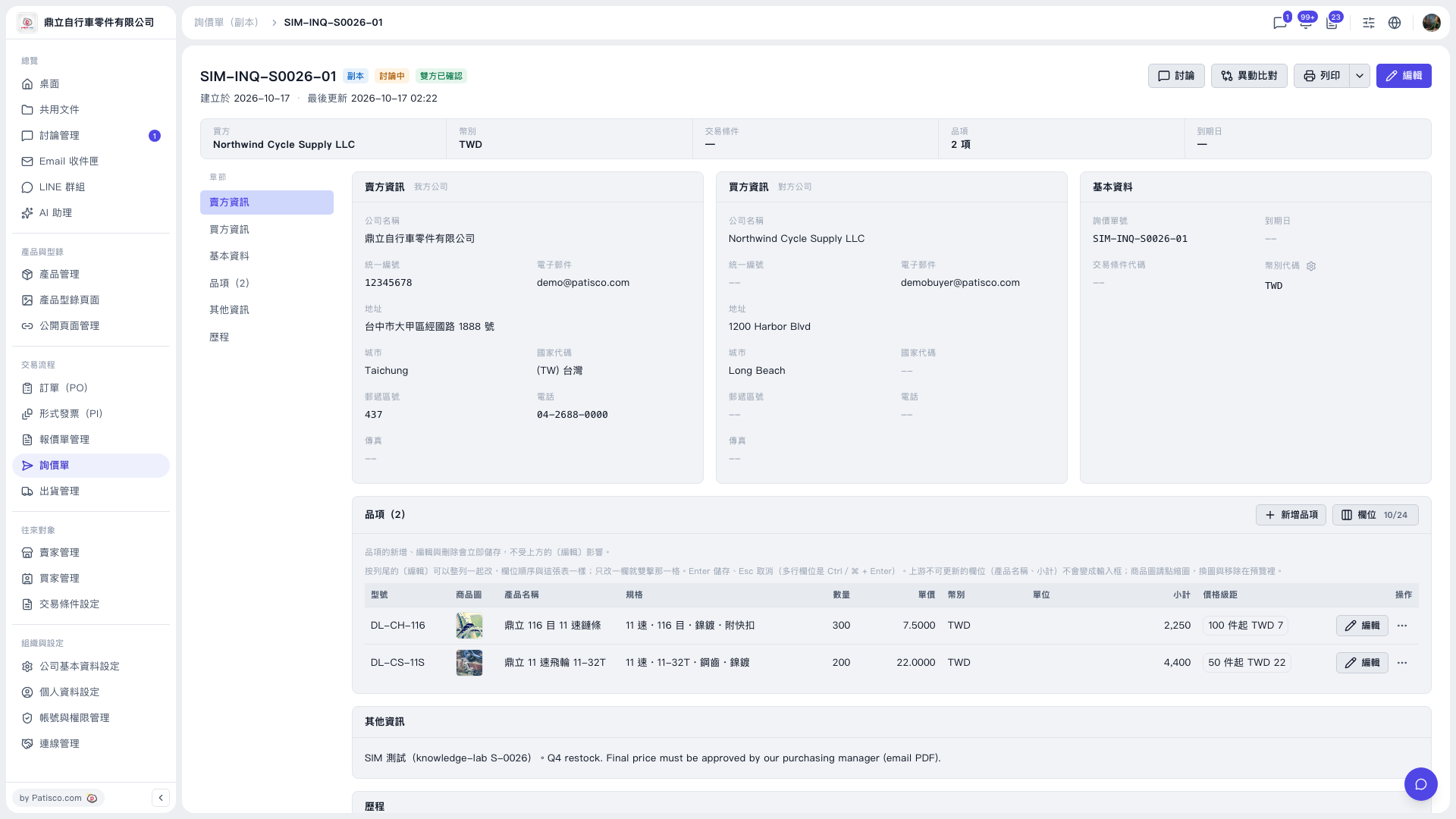 V5 新桌面版|SIM-INQ-S0026-01(詢價單詳情,副本)