
1. Open the inquiry detail page (for example SIM-INQ-S0010-01) and first look at the status tag at the top. If it shows "Our turn to reply", it is now your turn to handle it. 2. Click "The other party made changes, click to compare" next to "Discussion" in the upper right. 3. The system shows the differences between the buyer's changes and the current version. Review them item by item. 4. If you want to jump straight to the items, click "Items" in the section bar on the left side of the page.
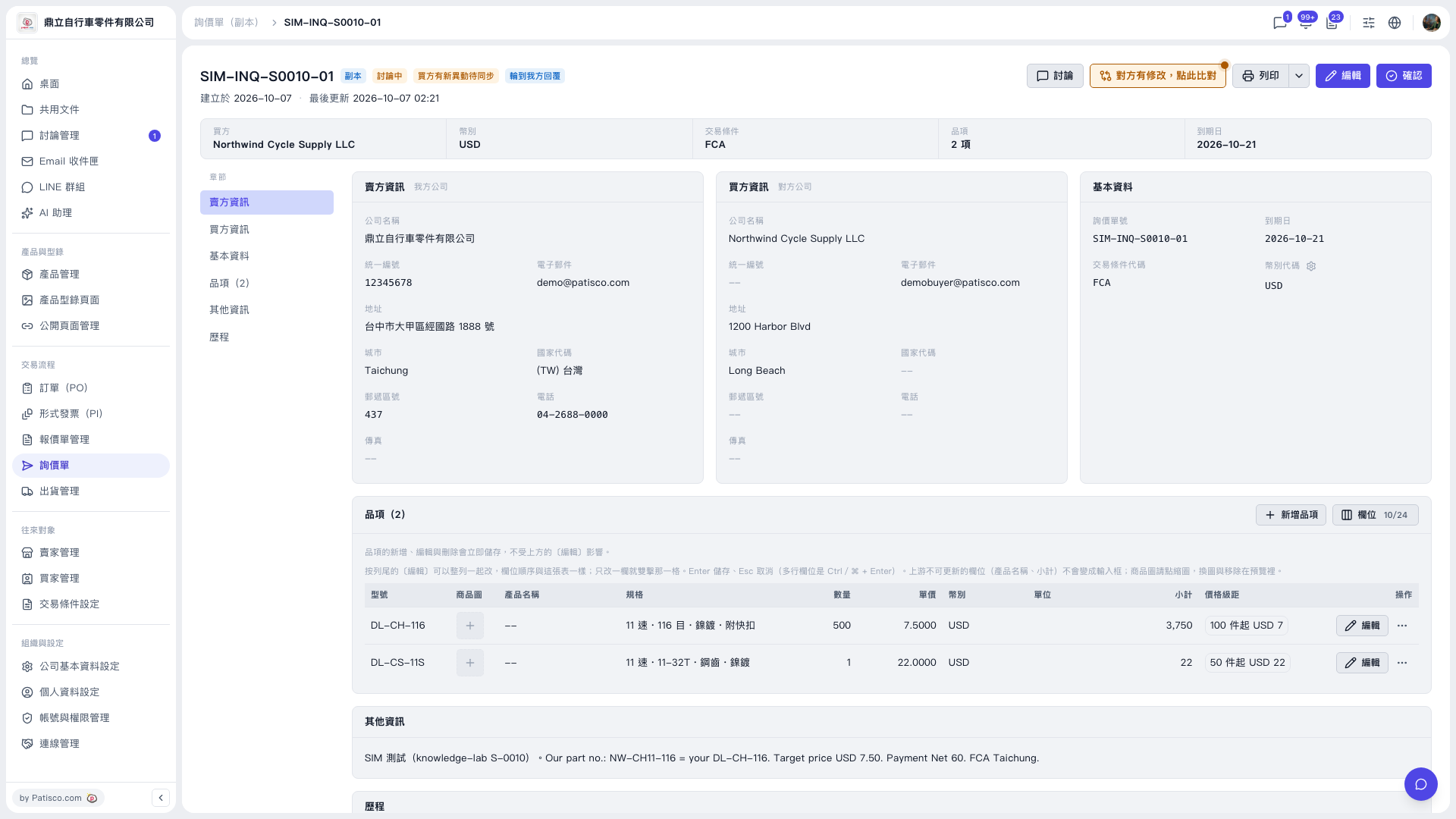 V5 新桌面版|SIM-INQ-S0010-01(詢價單詳情)