
1. In the items section, check the model number, quantity, unit price and price tiers. To see more columns, click "Columns 10/24" at the upper right of the items section and choose which columns to display. 2. To make adjustments, click "Edit" on the right side of the row to change the quantity, unit price and so on, then press Enter to save. To add an item, click "Add item" at the upper right of the items section. 3. If you need to talk to the buyer first, click "Discussion" in the upper right and leave a message. 4. Once everything is confirmed, click "Confirm" in the upper right, and the reply is sent to the buyer.
If you want to change the whole inquiry at once, click "Edit" in the upper right instead to enter whole-document edit mode.
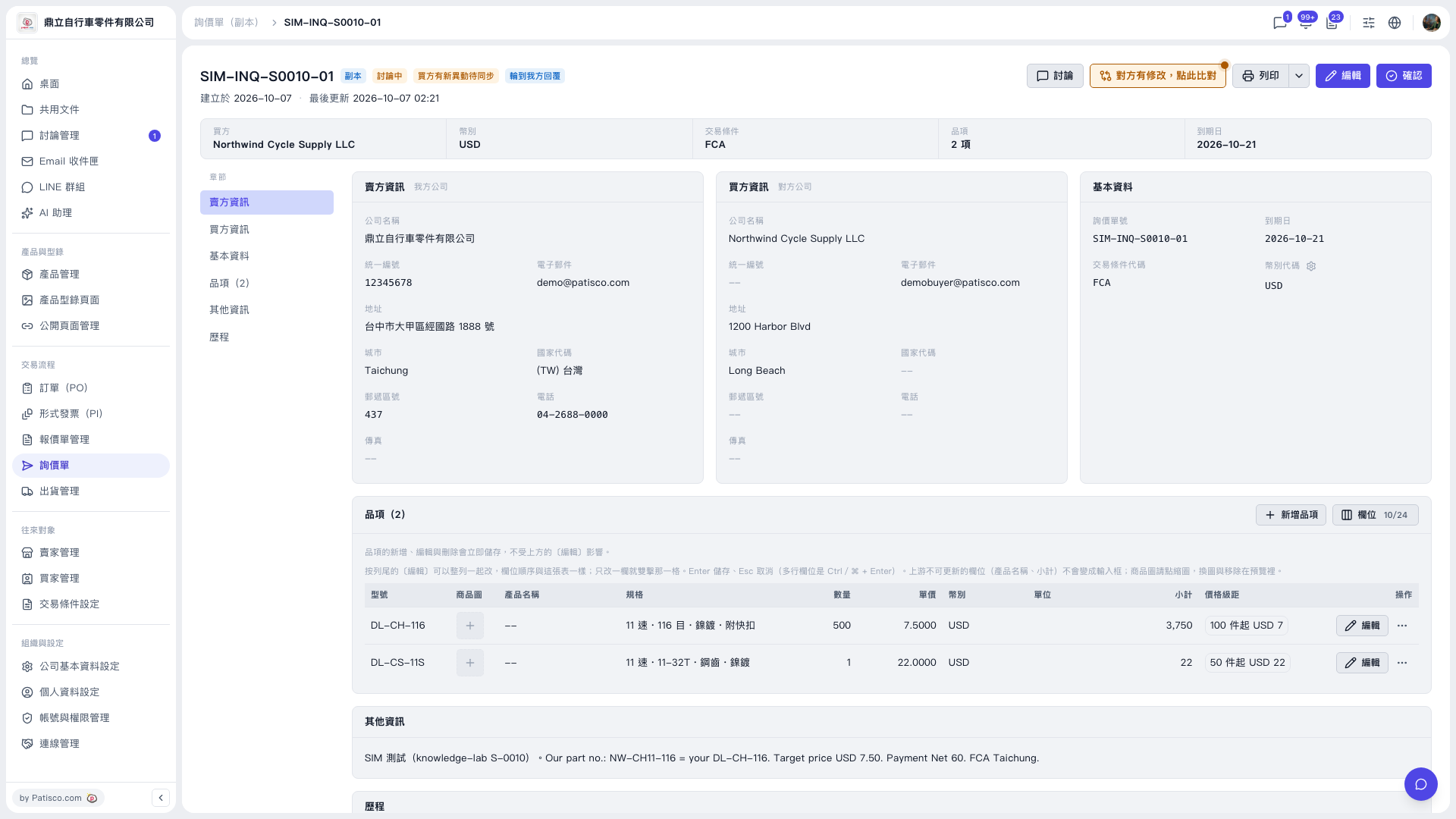 V5 新桌面版|SIM-INQ-S0010-01(詢價單詳情)