
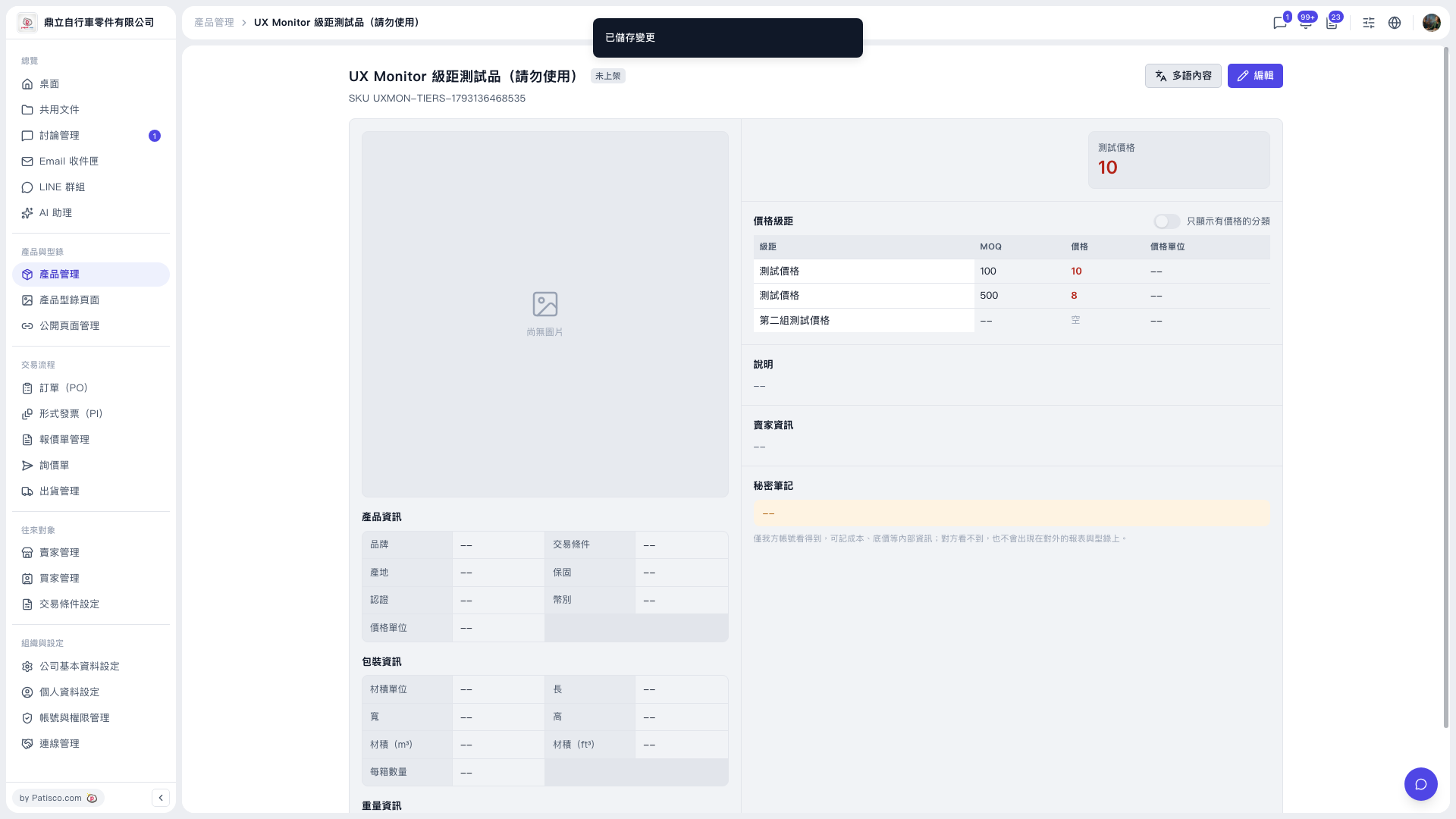
1. In the left sidebar, click "Product Management" under "Products & Catalogs" to open the product list. 2. Click the product you want to modify to enter the product detail page. 3. Check the tiers in the "Price Tiers" section. A newly created second tier (for example "Second test price") has an empty MOQ and price. 4. Click the "Edit" button at the upper right (to the right of the page title) to enter edit mode. 5. In the new tier, fill in "MOQ", "Price" and "Price unit". 6. Save. When the "Changes saved" message appears at the top of the page, the changes have taken effect.
Tip: If there are many tiers, you can turn on the "Show only categories with prices" switch at the upper right of the Price Tiers section to see only the tiers that have prices.
 V5 新桌面版|UX Monitor 級距測試品(請勿使用)