
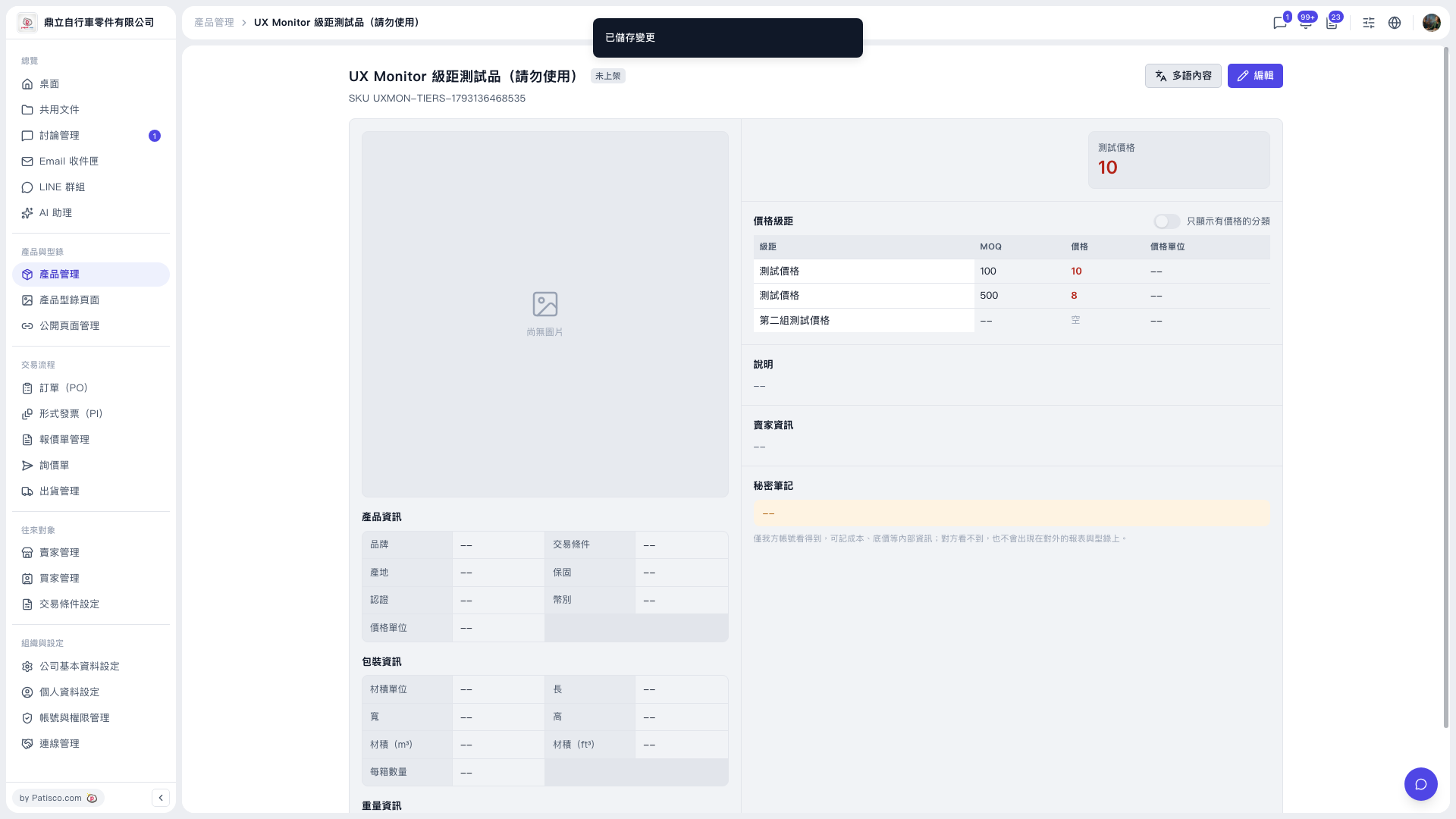
1. After saving, first check whether the "Changes saved" message appears at the top of the page. 2. Go back to the "Price Tiers" section of the product detail page and confirm that the "MOQ" and "Price" of every tier are displayed. 3. Taking the test product as an example, after saving the category "Test price" should have two tiers: MOQ 100, price 10; MOQ 500, price 8. 4. If you only want to see tiers with prices filled in, turn on the "Show only categories with prices" switch at the upper right of the Price Tiers section.
This step of the test did not catch any known issues.
 V5 新桌面版|UX Monitor 級距測試品(請勿使用)