
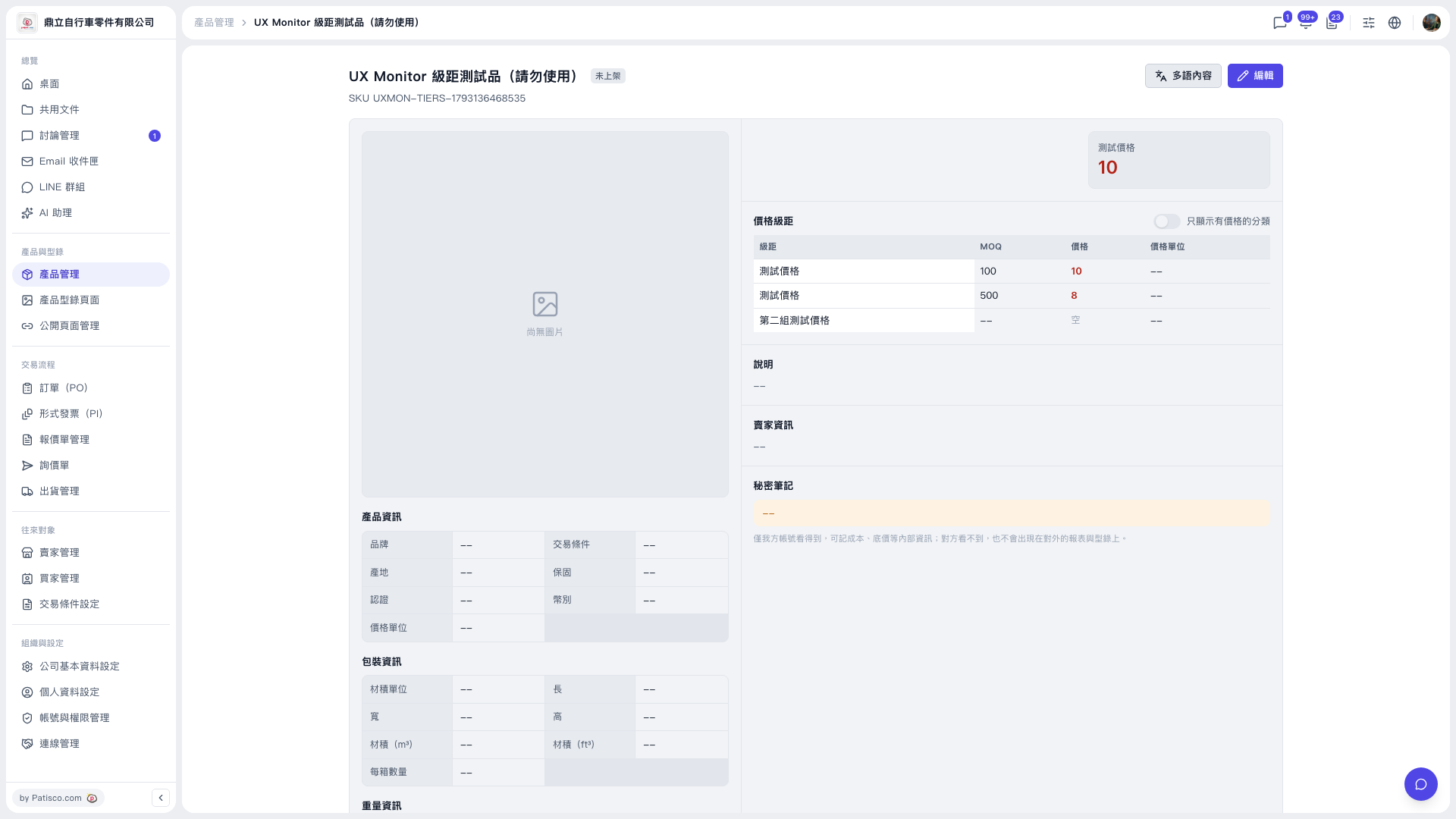
1. In the left sidebar, click "Product Management" under "Products & Catalogs" to enter the product list. 2. Select the product you want to view to enter the product detail page. 3. Check the MOQ, price and price unit of each tier in the "Price Tiers" section.
For example, on a product page of the demo account (鼎立自行車零件有限公司), "Test price" has two rows: the price at tier 100 is 10, and the price at tier 500 is 8.
 V5 新桌面版|UX Monitor 級距測試品(請勿使用)