
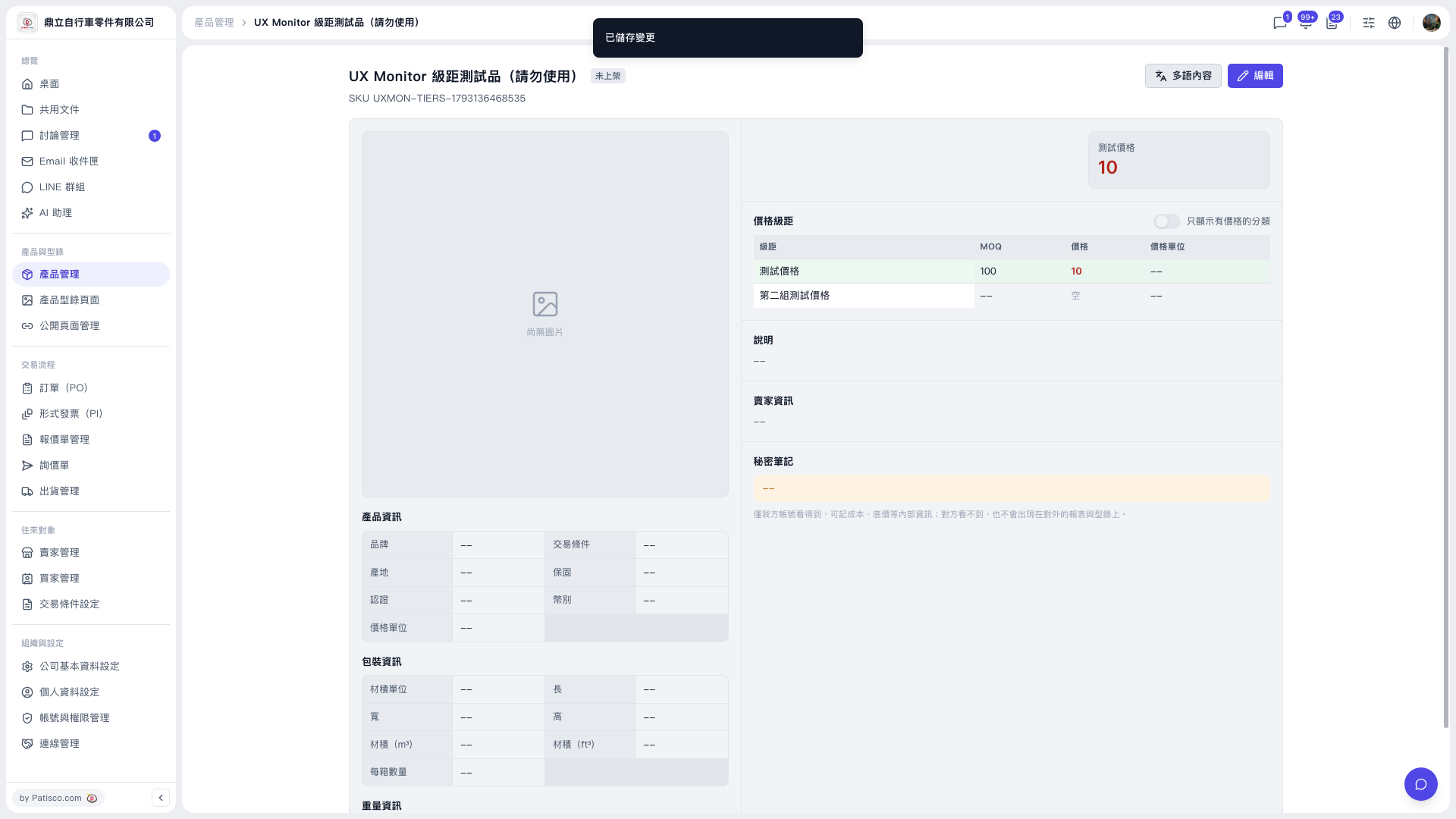
1. After saving, confirm that the "Changes saved" message appears at the top of the screen. 2. Go back to the product detail page and look at the table in the "Price Tiers" section. Confirm that the contents of the columns "Tier", "MOQ", "Price" and "Price unit" are what you expect. 3. If some categories in the table have no price set, you can turn on the "Show only categories with prices" switch at the upper right of the Price Tiers section to see only the categories that have prices. 4. To return to the list, click "Product Management" in the breadcrumb at the top to go back to the product list.
 V5 新桌面版|UX Monitor 級距測試品(請勿使用)