
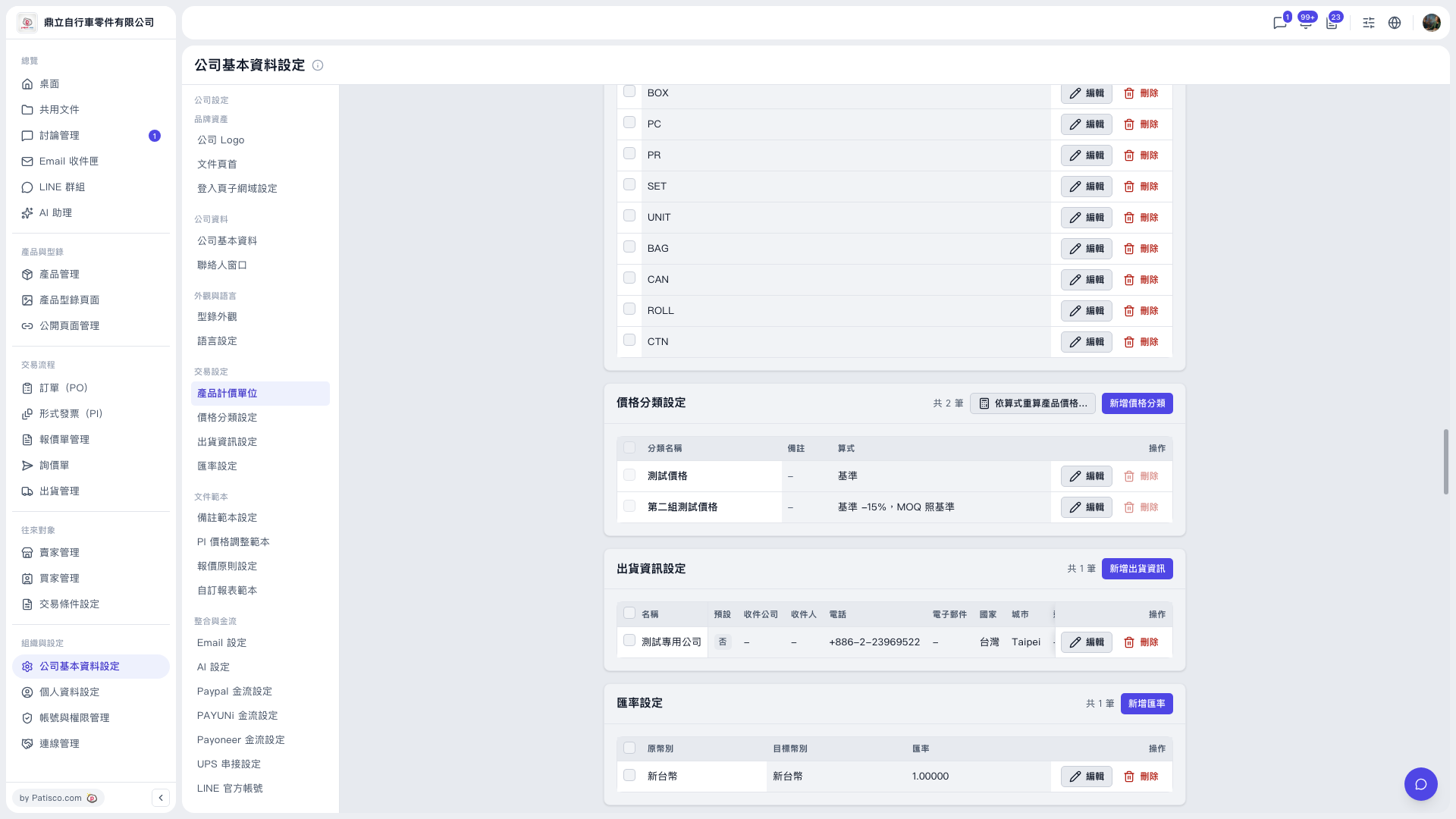
1. In the left sidebar, click "Company Profile Settings" under "Organization & Settings". 2. In the secondary menu in the middle, click "Price Category Settings", or scroll down to the "Price Category Settings" section. 3. First check that the "Formula" of each price category in the list is correct, for example "Base −15%, MOQ same as base". 4. If a formula needs to be changed, click "Edit" on the right side of that row, make the change and save. 5. Click the "Recalculate product prices by formula..." button on the right side of the section title bar. 6. In the window that appears, confirm the recalculation scope (for example, all products), review the preview, and then run it. The system will recalculate product prices according to the formulas.
Note: The preview stage only shows results. Product prices are not changed until you click the write button.
 V5 新桌面版|公司基本資料設定