
1. In the "Bulk create products" window, go to Step 3. First look at the "Currency" section at the top and confirm that the way currency is written in your file (for example, TWD) is mapped to the correct system currency (for example, (TWD) New Taiwan Dollar). When the status shows "All matched", you are good to go. 2. If the whole batch of products belongs to the same supplier, choose the supplier from the "Supplier for these products" drop-down. If you can't find it, click "Add supplier" to the right of the drop-down to create one directly. 3. If these products are exclusive to a specific customer, choose the customer under "Which customer are these products for". If you can't find it, click "Add customer". If it isn't needed, leave it as "Not specified". 4. After setting these, click "Next" at the bottom right to go to Step 4 "Review and fix". To change the field mapping, click "Back" to return to Step 2 "Field mapping".
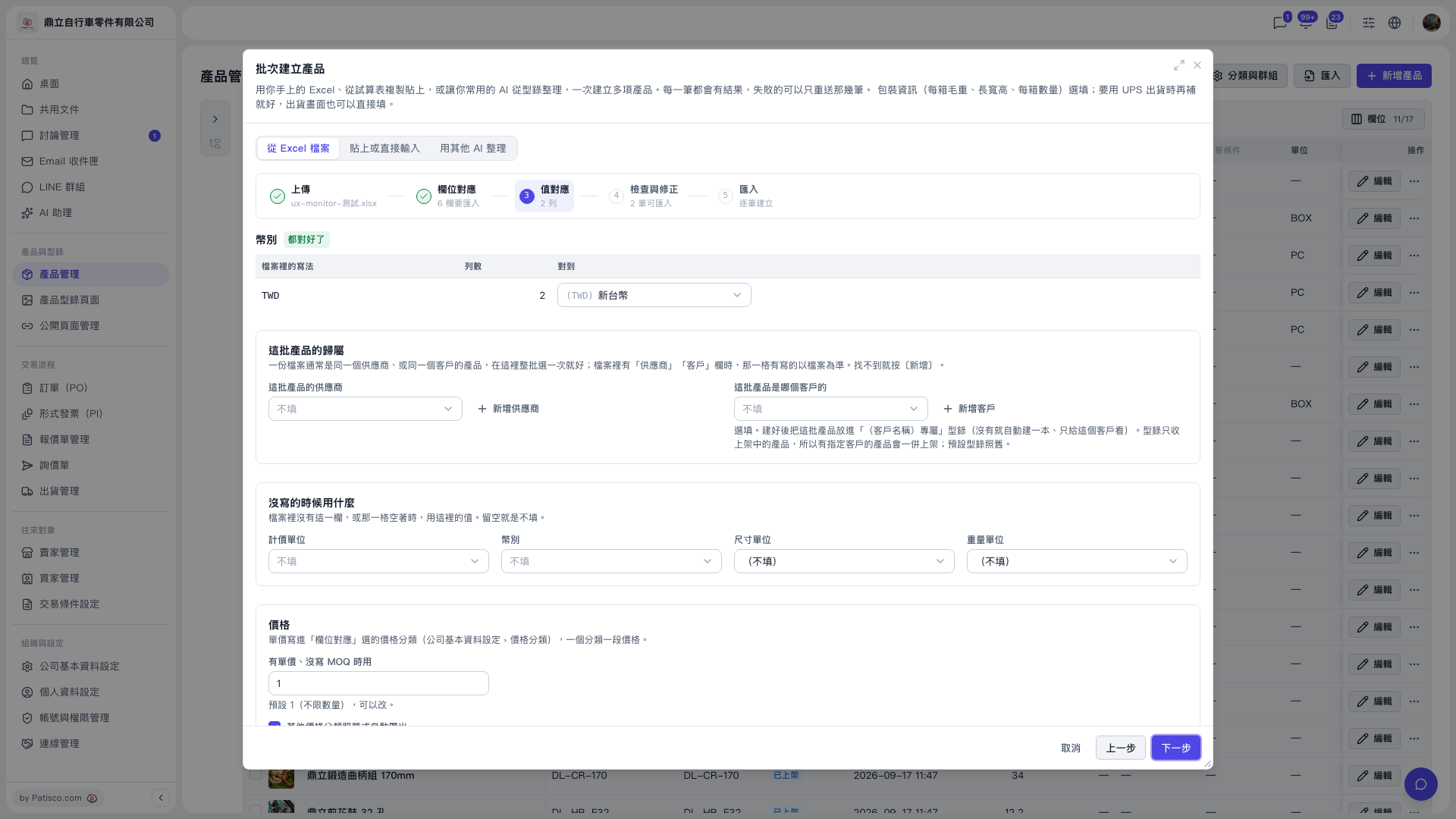 V5 新桌面版|批次建立產品(產品管理頁面上的彈出視窗)