
Yes. 1. In the column mapping step, find the "MSRP" row. 2. In the "Also fill this number into:" section of that row, tick the price categories you want to apply it to, for example "Test Price" or "Second Test Price". 3. Once ticked, the unit price of that price category will use the number from the suggested retail price. 4. After confirming that the other column mappings are correct, click "Next" at the bottom right to go to "Value mapping", and then complete "Review and fix" and "Import" in order.
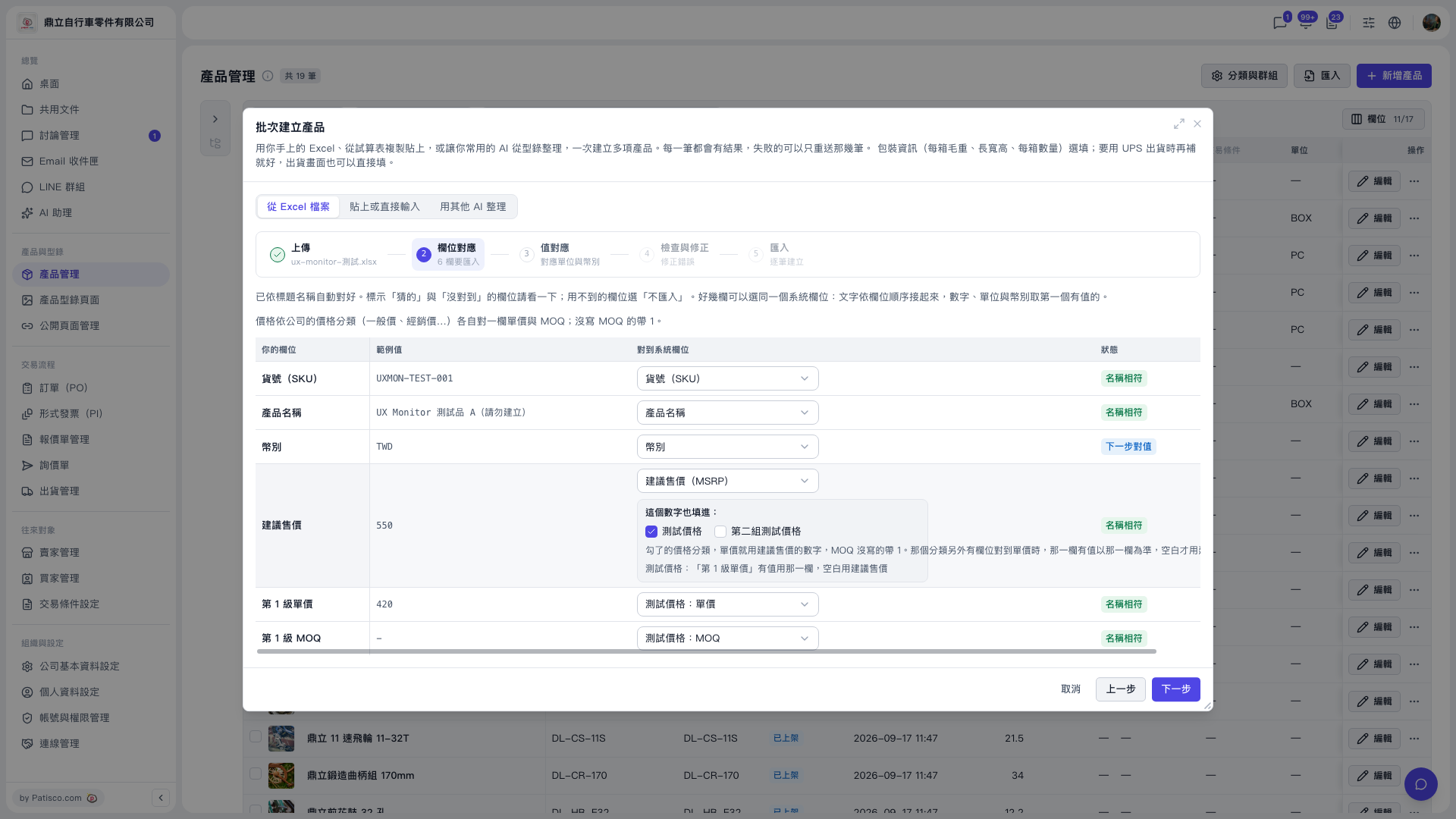 V5 新桌面版|產品管理(批次建立產品 - 欄位對應步驟)