
1. In the preview table of Step 4 "Review and fix", find the row you want to exclude. 2. Click "Don't import" at the far right of that row, and the row will not be included in this import. You can also select multiple rows first and set them all to not import at once. 3. To check which rows have been excluded, click the quick filter "Not imported" to the right of the search box. 4. When you are done, click "Next" at the bottom right to go to Step 5 "Import".
Note: "Don't import" only leaves the row out of this bulk creation. It does not change your original Excel file.
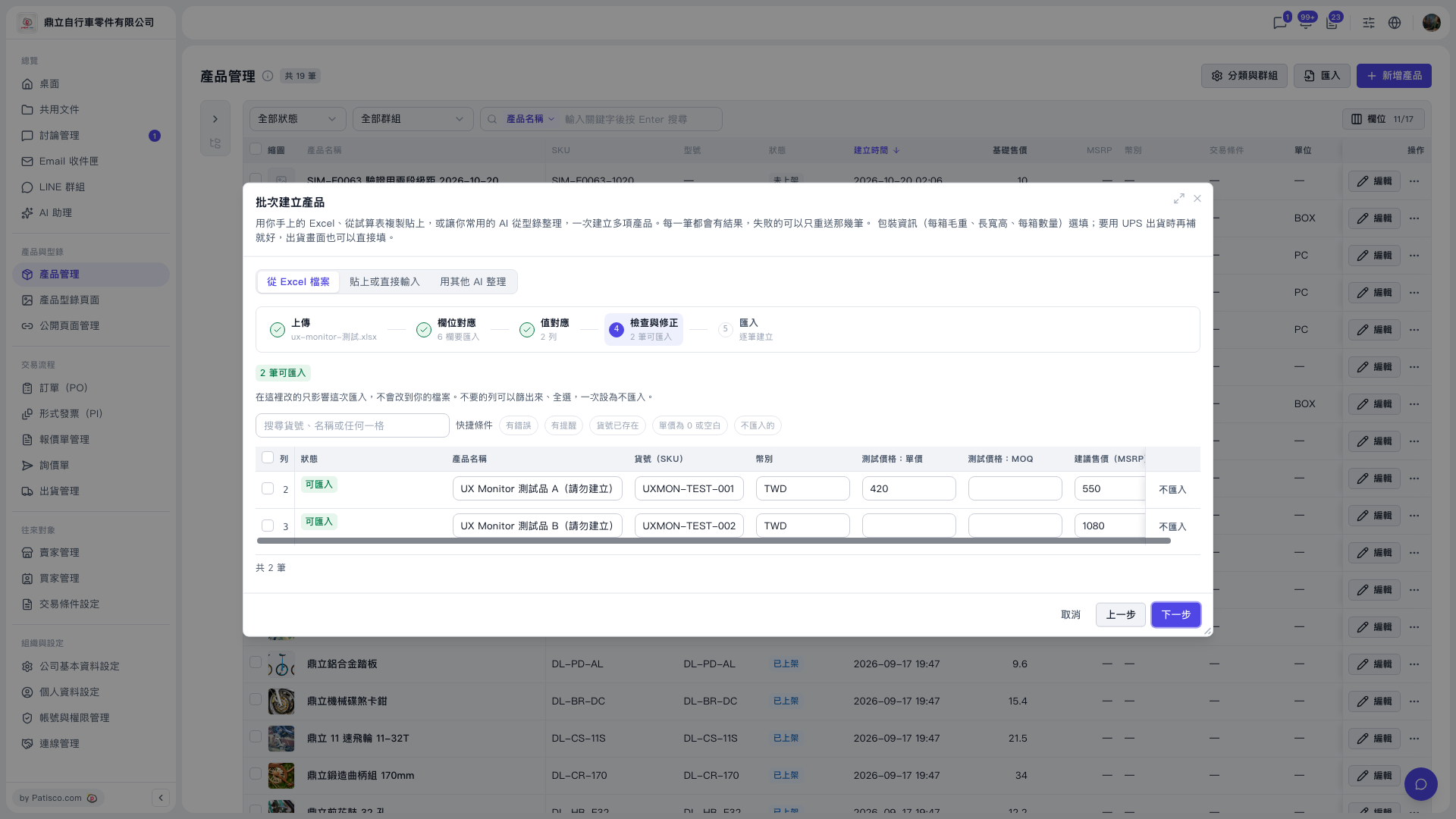 V5 新桌面版|產品管理(批次建立產品對話框:步驟 4 檢查與修正)