
1. In Step 3, in the "What to use when left blank" section, set the default "Pricing unit", "Currency", "Dimension unit", and "Weight unit". Cells left blank in the file will use these values. If you leave a default empty, the cell stays blank. 2. Go to the "Price" section and check the value for "Use when there is a unit price but no MOQ (default 1)". The default is 1 (no quantity limit), and you can change it if needed. 3. Scroll down to see the setting "Other price categories are filled in automatically by formula". 4. When everything looks correct, click "Next" at the bottom right. The current value mapping settings will be saved and you will go to Step 4 "Review and fix".
Note: While the window is open, "Add product", "Import", and "Categories and groups" at the top right of the Product Management page in the background cannot be used. Finish the wizard or click "Cancel" to close it first.
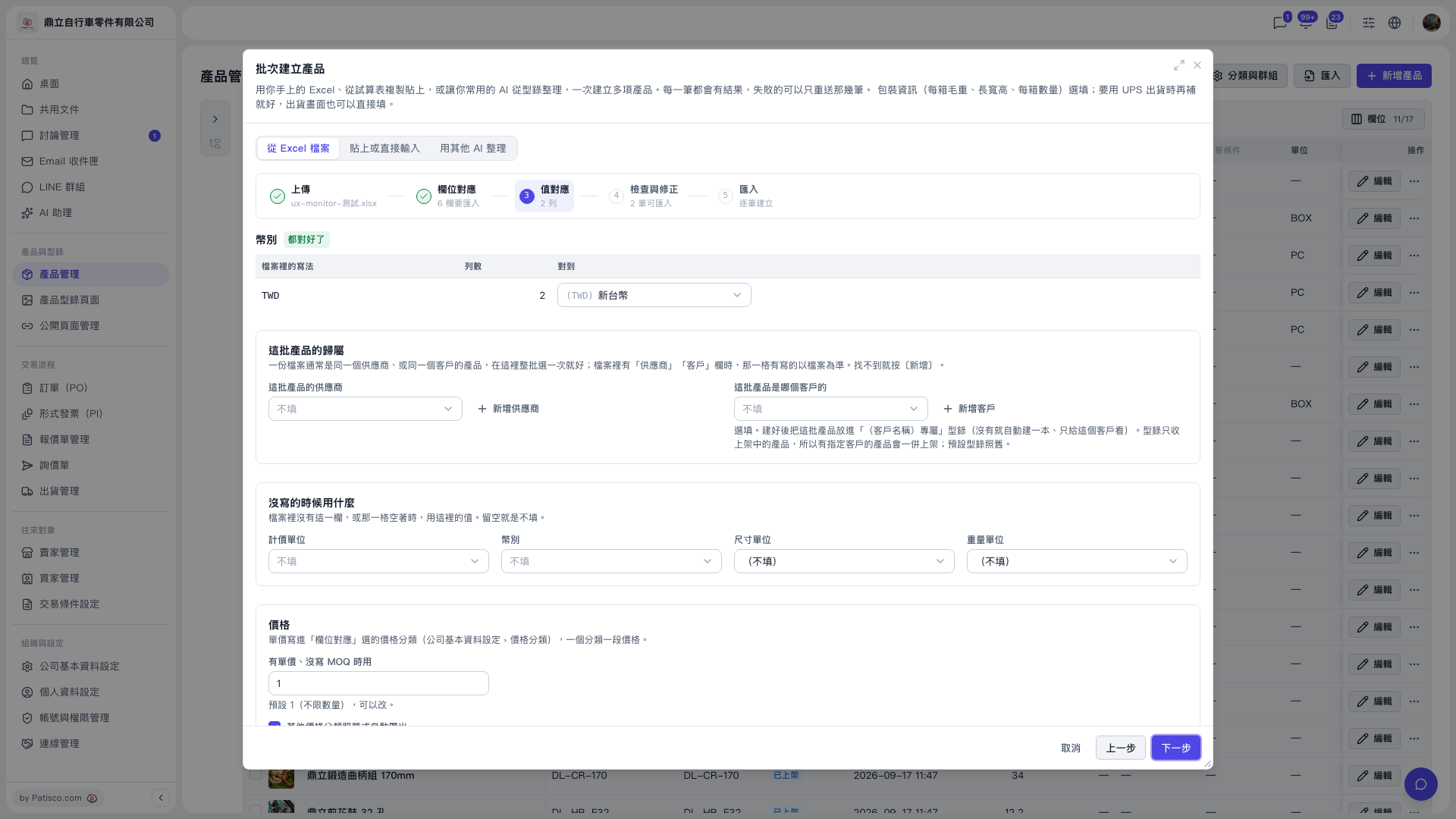 V5 新桌面版|批次建立產品(產品管理頁面上的彈出視窗)